sutando-observer
Observes the Claude main loop for HealthStatus and draws a compact status band above the prompt
newbandguardprocesstimer

Observes the Claude main loop for HealthStatus and draws a compact status band above the prompt




My AI Stand — Realtime by Day, Rewriting Itself by Night. Summon my AI superpower.
Voice, vision, screen, meetings, calls when I'm engaged. Learns my patterns, ships its own code when I'm not. Runs across my Macs, interacts with people & their Stands.
It belongs entirely to you.
🛠 Open source: this repo — clone, build, run locally on your own Mac. 🍎 Native app preview: sutando.ai — packaged Mac app, request access.
No pay-per-token core API key required. Sutando runs through the Claude Code or Codex CLI session you select, with optional service credentials only for the capabilities you enable.
Named after Stands from JoJo's Bizarre Adventure — a personal spirit that fights on your behalf. Like a Stand, Sutando starts unnamed. As it learns your style and earns real capabilities, it names itself and generates its own avatar — your Stand, unique to you.
https://github.com/user-attachments/assets/a86ec34e-3b26-4011-824c-d2d124753c25
24 tool calls. 6 tasks. 7 minutes. All by voice from a phone. Demo by @liususan091219. Watch on YouTube (full quality) →
⭐ If Sutando is useful to you, star this repo — it's how other people find it.
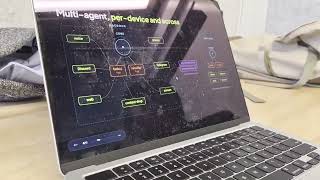 |  |  |
|---|---|---|
| 🤖 The AI agent that presented live | 📺 ep.007 — 50 days. 600+ PRs. #1 trending | 📺 Vision talk at UC Berkeley |
<!-- wire-list:start (auto-generated by scripts/regen-wire-list.py; do not edit between markers) -->
<!-- wire-list:end -->
@sutando-ai channel · Sutando WIRE playlist
Talk while you work. You're looking at a doc. You say "make this paragraph shorter." Sutando sees your screen, rewrites the paragraph, and replaces the original text directly.
Join meetings for you. "Join my 2pm call." It reads your calendar and joins — Zoom via the desktop app, Google Meet via the browser — with computer audio. It can also dial in by phone when you ask. It takes screenshots to identify participants, does live research when someone asks a question, and writes you a summary when the call ends. Meeting access is gated — it messages you on Telegram asking for approval before enabling task delegation.
Make calls for you. "Call her and leave a message." Sutando looks up the contact, dials the number, has the conversation, and reports back — while you keep working. It can even make concurrent calls while in a meeting.
Work from your phone. Call Sutando and say "summon." It opens Zoom with screen sharing — join from your phone to see its screen in real time. "What's on my screen?" — it takes a screenshot and tells you. "Fix the typo in that file" — done. You scroll, switch apps, navigate — all by voice while walking around.
Get better on its own. When you're not giving it tasks, Sutando runs an autonomous build loop — it monitors its own health, detects patterns in how you work, discovers new skills, and builds missing capabilities. Most of Sutando's code was written this way. It learns from your corrections and adapts over time.
Remember everything — and act on it. You have an idea while walking. Say it out loud. Sutando captures it, tags it, and saves it as a searchable note. If there's something actionable, it starts working on it right away or queues it for the next free cycle.
Reach you anywhere. Voice, Zoom, Google Meet, Telegram, Discord (text + voice channel), web, phone, or email — same agent, same memory, any channel.
Scale across machines. Plug in a second Mac and Sutando sets it up — the original agent opens a Discord channel, sends setup commands, and migrates services. The new machine handles phone calls 24/7 while your laptop stays portable. No migration scripts needed — the two agents coordinate the handoff themselves.
This is an early-stage project. Honest status:
| Count | Details | |
|---|---|---|
| Verified working | 30 | Voice, screen capture, notes, calendar, reminders, contacts, browser, phone calls, meeting dial-in, task delegation, pattern detection, health check, dashboard, Telegram, Discord, multi-machine migration, onboarding tutorial, and more |
| Needs external setup | 3 | Twilio (phone), Telegram bot, Discord bot |
We're looking for contributors to help test and harden these capabilities. If you try something and it breaks, open an issue.
See Sutando architecture boundaries for the normative definitions of core, adapters, apps, skills, tooling, and workspace state.

The core agent's loop is a cron job that fires /proactive-loop every 15 minutes (*/15 * * * * in the per-host crons.json). On Claude, Sutando backs that off to every 30 minutes when 7-day quota utilization reaches 80%, restoring the configured cadence once an authoritative routed reading drops below it; missing, stale, rejected, or unrouted telemetry holds the slower cadence and reports why. Each pass keeps a persistent watcher on tasks/ via Claude Code's Monitor tool, so tasks are processed on arrival rather than on the tick, and also runs health checks and picks the next build-log item.
Four processes work together:
com.sutando.web-client.plist, HTTP on :8080) — separate launchd service that serves the browser UI. The browser then connects directly to the voice agent's WebSocket on :9900 — the web client is not in the WebSocket data path.Voice agent and conversation server handle conversation-scope actions with inline tools — in-process calls that round-trip instantly (describe the screen, hang up, send DTMF, read the clipboard/current time, capture a screenshot). For anything outside that scope they write to tasks/; core reads them, executes, and writes to results/, which each channel speaks or messages back. Telegram and Discord bridges only use the tasks/ path.
Prerequisites — bash src/startup.sh checks that these are installed and refuses to boot otherwise:
brew install node)brew install python3)brew install fswatch) — auto-installs via Homebrew on first startAlso required — sign in to the selected agent CLI. Startup checks the configured Claude or Codex home before launching background services and fails with the matching login remedy. SUTANDO_SKIP_AUTH_PREFLIGHT=1 bypasses this once for recovery; the runtime launcher still checks again before replacing the core session.
Recommended, but not checked at boot — macOS 15+ and Node.js 22+.
bash src/verify-setup.sh covers this second list — it checks the Node version and whether your CLI is actually authenticated. Run it if startup succeeds but the core doesn't.
Optional — each unlocks one feature and degrades alone:
pip3 install discord.py / slack_bolt — Discord / Slack bridges (Telegram needs no package)brew install ffmpeg) — subtitle-burn, video-concat, recording handoffbrew install tmux) — Sutando.app watcher auto-restart; the core starts without itFull list with the line enforcing each, plus what to vendor when embedding Sutando in another application: External runtime dependencies.
# Clone
git clone https://github.com/sonichi/sutando.git
cd sutando

# Configure optional integrations (skip for text/core-only use)
cp .env.example .env
# Add GEMINI_API_KEY only if you want voice

# Start everything on macOS / Linux — core, app, and dashboard
./start.sh

# Start everything on Windows
pwsh -File src/startup.ps1
That is the whole first run. start.sh is a thin front door: it delegates to src/startup.sh --with-app and opens the dashboard once it answers. Extra arguments pass straight through (./start.sh --runtime codex). Set SUTANDO_OPEN_DASHBOARD=0 to skip the browser, or SUTANDO_DASHBOARD_URL to point it elsewhere. If the dashboard never comes up the core still starts — the browser open is backgrounded and can never gate it.
src/startup.sh remains the supported lower-level entry, and is what you want when there is no desktop to open things on:
# Headless core only — no app, no browser
bash src/startup.sh

# Core plus the macOS menu-bar app, still no browser
bash src/startup.sh --with-app
Either path starts the core services (voice agent, phone conversation server, web client, dashboard, and API) and the autonomous loop. The browser UI is at http://localhost:8080 and the dashboard at http://localhost:7844; src/startup.sh never opens a browser for you.
The macOS menu-bar app is opt-in and separate. Plain bash src/startup.sh never touches it, so the core stays headless. --with-app builds, signs, and launches the bundle; a failure there is reported and never stops the core.
Auto-start at login is a further, explicit opt-in. Neither ./start.sh nor --with-app installs a launchd job — running the app and having macOS resurrect it forever are different decisions. When you do want it, run the installer from the checkout you actually use: it records that path in the LaunchAgent, so installing from a temporary worktree leaves you with a login job pointing at a directory that will be deleted.
To manage the app on its own — build only, launch once, or supervise — use its installer directly:
bash scripts/install-menu-bar-app.sh              # build + sign, print next steps
bash scripts/install-menu-bar-app.sh --launch     # …and open it now
bash scripts/install-menu-bar-app.sh --supervise  # …and auto-start it at login
First run needs Accessibility granted in System Settings → Privacy & Security. Run the installer from the checkout you actually use: it records that path in the launchd job, so running it from a temporary worktree pins the app to a directory that will be deleted.
Why Sutando runs with elevated permissions. Autonomous voice-driven work means
startup.shlaunches the selected core CLI with unattended approvals and full local access — permission prompts would otherwise break the voice-in / answer-out flow. In exchange:
- It's local. Sutando runs entirely on your Mac. No remote control plane, no third party with write access.
- You control the audience. 3-tier access gating means owner / verified / unverified callers get different capability bands on phone, Discord, and Telegram. Set
VERIFIED_CALLERSin.envbefore going live.- Actions are auditable. Every task lands in
tasks/+results/, and service activity is written tologs/*.log. Use the Core CLI terminal while it works to watch in real time.- Hooks are your brake pedal.
git-rules-guard.sh(see$CLAUDE_CONFIG_DIR/hooks) pops a Discord approval DM for any public write (push / PR / issue comment) regardless of transport. Reject with 👎 to block.Keep the Core CLI terminal reachable — quota exhaustion or an unrecognized CLI prompt can leave the core agent waiting for you to respond. See Codex core setup to select or roll back the Codex runtime.
Why macOS 15+? The setup scripts assume the Sequoia System Settings layout for granting TCC permissions (Screen Recording, Accessibility, Input Monitoring). Earlier macOS versions may work for the headless parts (proactive loop, Discord/Telegram bridges) but aren't tested.
macOS permissions — on first run, macOS will ask you to grant Screen Recording, Accessibility, and Microphone access. See Security for what each permission is used for.
Sutando started life on macOS and most of its app-automation surface — AppleScript-driven Chrome/QuickTime control, Cmd+Ctrl+F fullscreen, the Sutando menu-bar Swift app — has no portable Windows equivalent. The core Sutando loop nevertheless runs on Windows; what's there is the headless agent: voice, screen capture, clipboard, notifications, the task bridge, the dashboard, and the messaging bridges.
Works on Windows:
System.Drawing.Bitmap instead of screencaptureFileSystemWatcher shim in place of fswatchDashboard and /tasks/active use platform process probes, not a fixed pgrep path. Unavailable process probes do not abort either response: the dashboard reports unavailable status and /tasks/active returns null for watcher state. The macOS-only Sutando app reports as not running on Windows. Proactive orphan recovery uses the shared, non-signalling process-identity probe: only confirmed dead owners release claims; live or uninspectable owners keep them.
switch_app and pwsh -File scripts/open-app.ps1 "Calculator" identify Windows apps by registered app ID or exact executable path and verify foreground focus. They reuse existing windows, restore minimized ones, and fail explicitly if no interactive desktop exists or Windows refuses focus. Bundled services include the same native backend; no window-title guessing or simulated keystrokes are used.
Returns a macOSOnly error on Windows (the voice agent stays up; Gemini tells the user):
press_key, type_text, volume, brightness, fullscreen, slide_control, toggle_tasksscroll, switch_tab, close_tab, open_url, click, point_at (browser AppleEvents)join_gmeet, call_contact (Chrome AppleScript)screen_record, play_video, pause_video, resume_video, replay_video, close_video, scroll_and_describe (QuickTime + Chrome)Windows quickstart:
# Clone (PowerShell)
git clone https://github.com/sonichi/sutando.git
cd sutando

# Configure
Copy-Item .env.example .env
# Edit .env in your editor; set GEMINI_API_KEY

# Install dependencies + start everything
pwsh -File src/startup.ps1

# Stop everything
pwsh -File src/stop.ps1

# Restart
pwsh -File src/restart.ps1
The Windows scripts mirror their .sh twins:
src/startup.ps1 — launches voice agent + web client + dashboard + agent API + screen capture (+ optional bridges)src/restart.ps1 — stops everything, then starts (matches restart.sh); it runs detached so a restart requested from chat survives stopping its caller, logging to <workspace>/logs/restart.logsrc/stop.ps1 — stops everything without restarting (matches stop.sh; shortcut for restart.ps1 -StopOnly)src/notify.ps1 "msg" — desktop notification + Discord DM (matches notify.sh)src/watch-tasks-stream.ps1 — task-folder watcher; emits TASK_FILE: … per new filePrerequisites:
winget install Microsoft.PowerShell — pwsh shim)claude once)Fresh Windows installs use npm ci --ignore-scripts and require the shipped runtime build. Repository paths and workspace names may contain spaces and Unicode.
Workspace: identical contract as macOS — defaults to <repo>/workspace/; override via sutando.config.local.json (see docs/workspace-config.md).
What's not ported (and why):
startup.ps1 skips Twilio + ngrok auto-launch. If you want phone calls on Windows, start ngrok manually and set WEBHOOK_BASE_URL in .env.Task-loop architecture (Windows-specific). macOS Claude Code exposes a Monitor tool that streams stdout from a long-running command (e.g. bash src/watch-tasks-stream.sh) and wakes the agent on every TASK_FILE: event. Claude Code 2.1.168 on Windows does not include the Monitor tool (verified: not in the agent's tool list, and the literal string "Monitor" is absent from claude.exe). Without Monitor, there's no push-based file-watch primitive available to the agent, so the long-running sutando-core TUI would only pick up new tasks on its */5 proactive-loop cron tick — fine for autonomous work, far too slow for chat.
The Windows port works around this with src/task-dispatcher.ps1, a standalone process auto-launched by src/startup.ps1. It uses FileSystemWatcher to watch tasks/, claims new files via atomic rename, and runs each one through claude --print as a one-shot subprocess. Each queued chat task starts as soon as the dispatcher is available; inference and delivery time depend on the model and connection. The long-running core still handles autonomous proactive-loop work + cron jobs; the dispatcher only intercepts user-driven chat tasks.
Task context and authorization: owner turns and authenticated Discord collaborator turns resume a session per channel. Collaborators require both a verified task envelope and a current access entry. Other non-owner turns use codex exec --sandbox read-only; when Codex is unavailable, they are refused. Owner and collaborator turns in the same channel share conversational context.
The dispatcher holds an exclusive lifetime lock and publishes results atomically. After a crash or forced restart, abandoned claims are archived with an interruption result instead of being retried: actions may already have run. Check their outcome before resubmitting. Restart stops the dispatcher process tree, including its in-flight CLI child.
Try saying:
Verify your setup (optional):
bash src/verify-setup.shTroubleshooting:
logs/voice-agent.log for errors. Common causes:GEMINI_API_KEY not set or invalid in .env — get one at ai.google.devlsof -i :9900 to checknpm install failed? Make sure Node.js 22+ is installed: node --versionGEMINI_API_KEY overriding .env — run unset GEMINI_API_KEY then restartscreencapture -v needs a TTY. Sutando uses ffmpeg instead — make sure it's installed: brew install ffmpegbash src/restart.sh — this kills all services and restarts freshskills/phone-conversation/scripts/conversation-server.ts, port 3100) isn't running. Run bash src/startup.sh or bash src/restart.sh to relaunch all services.Shutting down:
bash src/restart.sh    # stops all services (voice agent, web client, API, bridges, etc.)
pkill -x Sutando # stop the menu bar app
Exiting startup.sh alone does NOT stop background services. Always use restart.sh (or kill-all.sh if available) to cleanly shut everything down.
Uninstalling:
bash src/restart.sh && pkill -x Sutandorm -rf ~/Desktop/sutando (or wherever you cloned it)rm -rf $CLAUDE_CONFIG_DIR/projects/*sutando*node_modules/ — deleted with the repoimsg, wacli) via the package manager you used to install them.bash src/install-health-check-launchd.sh --uninstall (hooks/register.js 239 lines1// Main-loop observations drawn as a one-line band and, for core and pool seats, published as a runtime observation record.
2let phase = 'unk';
3let motion = 'unk';
4let condition = 'unk';
5let reason = '-';
6const mainTurns = new Set();
7
8const OBSERVER = 'claude-observer';
9const VERSION = '0.3.0';
10const FLUSH_DELAY_MS = 250;
11const HEARTBEAT_MS = 15000;
12const WRITE_TIMEOUT_MS = 5000;
13const PHASE_NAME = {req: 'requesting', tool: 'tool', idle: 'idle', fail: 'failed', wait: 'waiting', cmp: 'compacting', unk: 'unknown'};
14const MOTION_NAME = {mov: 'moving', idle: 'idle', unk: 'unknown'};
15const CONDITION_NAME = {ok: 'healthy', bad: 'abnormal', unk: 'unknown'};
16const REASON_NAME = {auth: 'needs-login', quota: 'quota-limit', funds: 'out-of-credits', retry: 'api-error', perm: 'permission', input: 'awaiting-input'};
17
18let recSeq = 0;
19let changedAt = 0;
20let conditionSince = null;
21let lastSuccessAt = null;
22let seat = null;
23let observerId = '';
24let startedAt = 0;
25let claudeSessionId = null;
26let engineDir = '';
27let python = '';
28let workspaceDir = '';
29let initPromise = null;
30let dirty = false;
31let timerPending = false;
32let inFlight = false;
33
34const AUTH_ERRORS = new Set(['authentication_failed', 'oauth_org_not_allowed', 'account_on_hold', 'verification_required', 'cloud_credential_error']);
35const ERROR_REASON = {billing_error: 'funds', rate_limit: 'quota', overloaded: 'retry', server_error: 'retry'};
36const REASON_LABEL = {auth: 'needs login', quota: 'usage limit reached', funds: 'billing problem', retry: 'API unavailable', perm: 'waiting for permission', input: 'waiting for input'};
37const PHASE_LABEL = {req: 'thinking', tool: 'using a tool', idle: 'idle', cmp: 'compacting', unk: 'starting'};
38
39export function errorReason(error) {
40 return AUTH_ERRORS.has(error) ? 'auth' : (ERROR_REASON[error] || '-');
41}
42
43// Worker seat from its instance id, else the core; any other session (guest, ad-hoc) has none.
44export function seatFromEnv(instanceId, coreSession, tmuxSession) {
45 const session = String(tmuxSession || '').slice(0, 80);
46 if (/^[0-9a-f]{32}$/.test(instanceId || '')) return session ? {seat: instanceId, session} : null;
47 if (coreSession === '1') return {seat: 'core', session: session || 'sutando-core'};
48 return null;
49}
50
51// Start of the current abnormal condition: set on entering it or changing its reason, cleared otherwise.
52export function nextConditionSince(before, after, since, nowSec) {
53 if (after.condition !== 'bad') return null;
54 if (before.condition === 'bad' && before.reason === after.reason && since !== null) return since;
55 return nowSec;
56}
57
58// The plugin dir is <engine>/skills/claude-observer/plugin.
59export function engineRoot(pluginRoot) {
60 return String(pluginRoot).replace(/\/+$/, '').split('/').slice(0, -3).join('/');
61}
62
63export function buildRecord(s) {
64 return {
65 schema: 1,
66 observer: OBSERVER,
67 observer_version: VERSION,
68 observer_id: s.observerId,
69 observer_started_at: s.startedAt,
70 seat: s.seat,
71 session: s.session,
72 claude_session_id: s.claudeSessionId || null,
73 seq: s.seq,
74 changed_at: s.changedAt,
75 condition_since: s.conditionSince,
76 last_success_at: s.lastSuccessAt,
77 heartbeat_at: s.heartbeatAt,
78 phase: PHASE_NAME[s.phase] ?? 'unknown',
79 motion: MOTION_NAME[s.motion] ?? 'unknown',
80 condition: CONDITION_NAME[s.condition] ?? 'unknown',
81 reason: s.condition === 'bad' ? (REASON_NAME[s.reason] ?? 'api-error') : null,
82 };
83}
84
85export function label(p, c, r) {
86 if (c === 'bad') return 'Sutando: ' + (REASON_LABEL[r] || 'request failed');
87 return 'Sutando: ' + (PHASE_LABEL[p] || p);
88}
89
90// Best effort: observation writes never block or alter an event.
91async function flush($) {
92 timerPending = false;
93 if (inFlight || !seat) return;
94 inFlight = true;
95 dirty = false;
96 try {
97 python ||= await resolvePython($);
98 if (!python) return;
99 const record = buildRecord({observerId, startedAt, seat: seat.seat, session: seat.session, claudeSessionId, seq: recSeq,
100 changedAt, conditionSince, lastSuccessAt, heartbeatAt: (await $.clock.now()) / 1000, phase, motion, condition, reason});
101 const argv = [python, engineDir + '/src/runtime_observation.py', 'write'];
102 if (workspaceDir) argv.push('--workspace', workspaceDir);
103 await $.process.run(argv, {stdin: JSON.stringify(record), timeoutMs: WRITE_TIMEOUT_MS});
104 } catch {
105 // The band and the session carry on without the record.
106 } finally {
107 inFlight = false;
108 if (dirty) schedule($);
109 }
110}
111
112// The engine's own interpreter policy: a bare python3 can land on the macOS developer-tools stub.
113async function resolvePython($) {
114 const out = await $.process.run(['bash', '-c', '. "$1/scripts/python-binary.sh" && resolve_python "$1"', 'resolve', engineDir],
115 {timeoutMs: WRITE_TIMEOUT_MS});
116 return out.exitCode === 0 ? out.stdout.trim() : '';
117}
118
119function schedule($) {
120 if (!seat || timerPending) return;
121 timerPending = true;
122 $.clock.after(FLUSH_DELAY_MS, () => { flush($); });
123}
124
125function beat($) {
126 $.clock.after(HEARTBEAT_MS, () => { dirty = true; schedule($); beat($); });
127}
128
129function ensureInit($) {
130 initPromise ??= (async () => {
131 const instanceId = await $.env.get('SUTANDO_INSTANCE_ID');
132 const coreSession = await $.env.get('SUTANDO_CORE_SESSION');
133 const tmuxSession = await $.env.get('SUTANDO_TMUX_SESSION');
134 seat = seatFromEnv(instanceId, coreSession, tmuxSession);
135 if (!seat) return;
136 workspaceDir = (await $.env.get('SUTANDO_WORKSPACE_DIR')) || '';
137 engineDir = engineRoot($.plugin.root);
138 observerId = Math.random().toString(16).slice(2, 12) + Math.random().toString(16).slice(2, 12);
139 startedAt = (await $.clock.now()) / 1000;
140 changedAt = startedAt;
141 try { claudeSessionId = (await $.session.id()) || null; } catch { claudeSessionId = null; }
142 dirty = true;
143 schedule($);
144 beat($);
145 })().catch(() => { seat = null; });
146 return initPromise;
147}
148
149// Only a change stamps evidence time; redraws never do.
150async function observe($, change) {
151 await ensureInit($);
152 const [p, m, c, r] = [change.phase ?? phase, change.motion ?? motion, change.condition ?? condition, change.reason ?? reason];
153 if (p === phase && m === motion && c === condition && r === reason) return;
154 const nowMs = await $.clock.now();
155 conditionSince = nextConditionSince({condition, reason}, {condition: c, reason: r}, conditionSince, nowMs / 1000);
156 [phase, motion, condition, reason] = [p, m, c, r];
157 recSeq += 1;
158 changedAt = nowMs / 1000;
159 dirty = true;
160 schedule($);
161 $.ui.invalidate('ui.render');
162}
163
164async function markSuccess($) {
165 await ensureInit($);
166 lastSuccessAt = (await $.clock.now()) / 1000;
167 recSeq += 1;
168 dirty = true;
169 schedule($);
170}
171
172export function register(on) {
173 on('session.start', async ($, e, next) => {
174 await ensureInit($);
175 return next(e);
176 });
177 on('turn.start', async ($, e, next) => {
178 // Subagent runs raise no turn.start today; refuse one anyway so it can never pass as the main loop.
179 if (e.agentId) return next(e);
180 mainTurns.add(e.turnId);
181 await observe($, {phase: 'req', motion: 'mov'});
182 return next(e);
183 });
184 on('turn.step', async function* ($, e, next) {
185 if (e.agentId || !mainTurns.has(e.turnId)) return yield* next(e);
186 await observe($, {phase: 'req', motion: 'mov'});
187 const result = yield* next(e);
188 // A completed request is positive recovery from any earlier failure.
189 await markSuccess($);
190 await observe($, {condition: 'ok', reason: '-'});
191 return result;
192 });
193 on('tool.call', async ($, e, next) => {
194 if (e.agentId) return next(e);
195 const answered = condition === 'bad' && (reason === 'perm' || reason === 'input');
196 await observe($, answered ? {phase: 'tool', motion: 'mov', condition: 'ok', reason: '-'} : {phase: 'tool', motion: 'mov'});
197 try {
198 return await next(e);
199 } finally {
200 await observe($, {phase: 'req'});
201 }
202 });
203 on('turn.complete', async ($, e, next) => {
204 if (e.agentId || !mainTurns.delete(e.turnId)) return next(e);
205 if (e.reason === 'error') await observe($, {phase: 'fail', motion: 'idle', condition: 'bad'});
206 else if (e.reason === 'answer') await observe($, {phase: 'idle', motion: 'idle', condition: 'ok', reason: '-'});
207 else await observe($, {phase: 'idle', motion: 'idle'});
208 return next(e);
209 });
210 on('classic.StopFailure', async ($, e, next) => {
211 if (!e.agent_id) await observe($, {phase: 'fail', motion: 'idle', condition: 'bad', reason: errorReason(e.error)});
212 return next(e);
213 });
214 on('classic.PermissionRequest', async ($, e, next) => {
215 if (!e.agent_id) await observe($, {phase: 'wait', motion: 'idle', condition: 'bad', reason: 'perm'});
216 return next(e);
217 });
218 on('classic.Notification', async ($, e, next) => {
219 if (!e.agent_id && e.notification_type === 'elicitation_dialog') await observe($, {phase: 'wait', motion: 'idle', condition: 'bad', reason: 'input'});
220 if (!e.agent_id && e.notification_type === 'auth_success' && reason === 'auth') await observe($, {condition: 'ok', reason: '-'});
221 return next(e);
222 });
223 on('classic.PreCompact', async ($, e, next) => {
224 if (!e.agent_id) await observe($, {phase: 'cmp', motion: 'mov'});
225 return next(e);
226 });
227 on('classic.PostCompact', async ($, e, next) => {
228 if (!e.agent_id) await observe($, {phase: 'idle', motion: 'idle'});
229 return next(e);
230 });
231 on('ui.render', {component: 'AbovePrompt'}, async ($, e, next) => {
232 const original = await next(e);
233 if (e.props.hasSurvey) return original;
234 if (original?.children?.length || original?.type === 'Text') return original;
235 if (Math.floor(e.props.maxRows) < 1) return original;
236 return {type: 'Text', children: [label(phase, condition, reason).slice(0, Math.floor(e.props.bodyColumns))]};
237 });
238}
239