inline-images
Gives Claude a show_image tool and shows pasted images inline in the terminal transcript
newrowsguardtoolprocess

Gives Claude a show_image tool and shows pasted images inline in the terminal transcript
A Claude Code mod that shows images inline in your terminal.
It gives Claude a show_image tool. When you ask Claude to show you an image, the tool draws the file in the transcript. The image does not go into Claude's context. Claude uses Read when it must look at the image itself.
It also draws the images you paste into the prompt, under your message in the transcript.
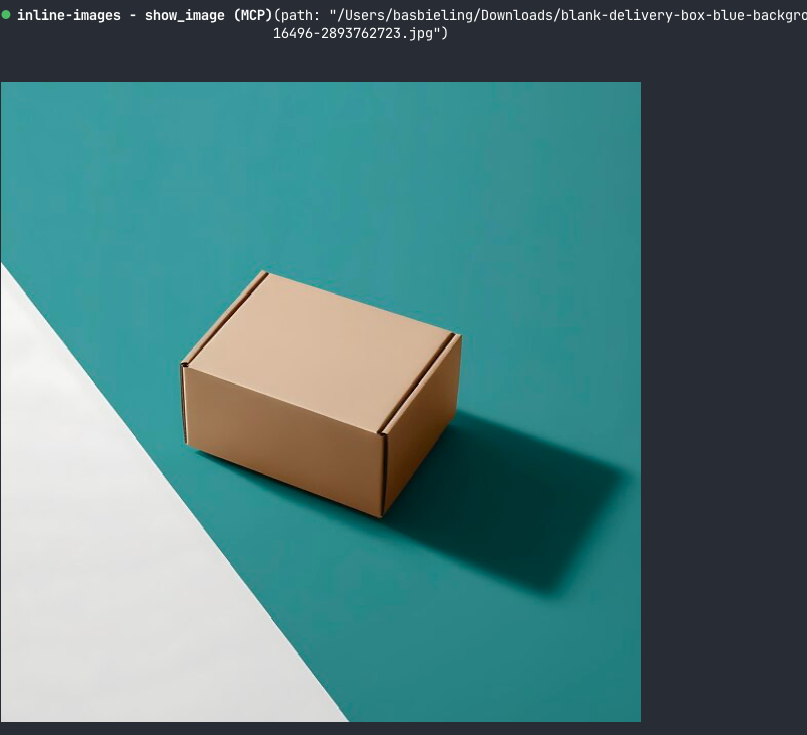
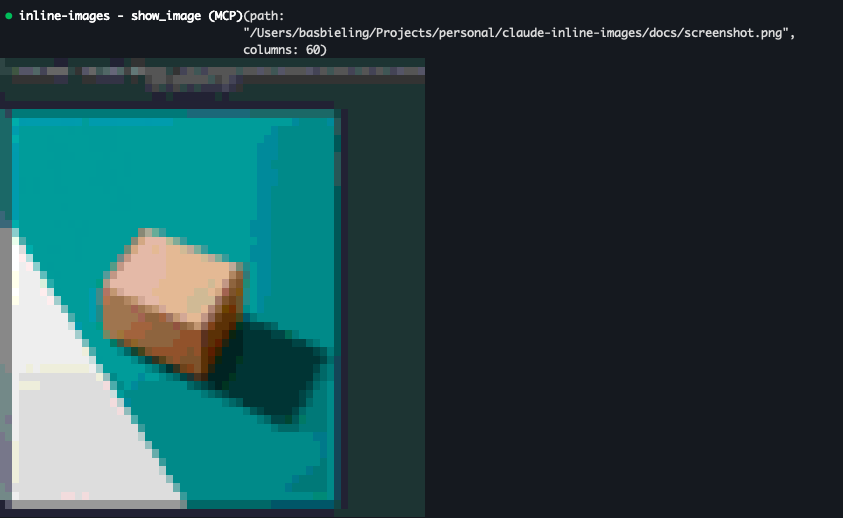
Claude Code does not draw real images in iTerm2, so there the mod uses a fallback: colored half-block characters, two pixels per cell.
At the prompt of a Claude Code session in the terminal, type:
/plugin install inline-images --marketplace Mechazawa/claude-inline-imagesAnswer y to add the marketplace, then select a scope. The tool is available from the next prompt.
Ask Claude to show you a file:
show me ~/Downloads/screenshot.jpgClaude calls show_image with these inputs:
| Input | Description |
|---|---|
path | Absolute or working-directory-relative path of the image |
columns | Width in terminal columns, 80 by default |
The image keeps its aspect ratio. It is never wider than the transcript and never taller than 40 rows.
When you paste an image into the prompt, the mod draws it 40 columns wide under your message. Images pasted before the mod was loaded are not drawn.
To turn this off, open /config and set inline-images.showPastedImages to false.
sips, which macOS includes.sudo apt install imagemagick. For HEIC files, also install libheif-plugin-libde265.ffprobe.Converted files go to /tmp/claude-inline-images.
Run Claude Code with the mod loaded from this folder:
claude --plugin-dir .Check and test it:
claude plugin validate .
claude plugin test .hooks/register.tsx 291 lines1import { atom, read, update } from 'claude-code'
2import type { Elements, EngineInterface, Register } from 'claude-code'
3
4import type { Shown } from '../types'
5
6const TOOL = 'show_image'
7const FULL_NAME = 'mcp__inline-images__show_image'
8const CONVERTED_DIR = '/tmp/claude-inline-images'
9const MAX_ROWS = 40
10const PASTED_COLUMNS = 40
11// A terminal cell is about twice as tall as it is wide.
12const CELL_ASPECT = 2
13const DEFAULT_COLOR = 0x01000000
14const SPACE = 0x20
15const UPPER_HALF_BLOCK = 0x2580
16const LOWER_HALF_BLOCK = 0x2584
17
18// The BMP must be 24-bit, or 32-bit with alpha in the fourth byte, for rasterCells to read it.
19type Converter = {
20 binaries: string[]
21 size: (file: string) => string[]
22 png: (file: string, out: string) => string[]
23 bmp: (file: string, out: string, columns: number, rows: number) => string[]
24}
25
26const imageMagick = (binary: string): Converter => ({
27 binaries: [binary],
28 size: file => [binary, `${file}[0]`, '-format', 'width=%w height=%h', 'info:'],
29 png: (file, out) => [binary, `${file}[0]`, `png:${out}`],
30 bmp: (file, out, columns, rows) => [
31 binary, `${file}[0]`, '-resize', `${columns}x${rows}!`, '-type', 'TrueColorAlpha', '-define', 'bmp:format=bmp4', `bmp:${out}`,
32 ],
33})
34
35const CONVERTERS: Converter[] = [
36 {
37 binaries: ['sips'],
38 size: file => ['sips', '-g', 'pixelWidth', '-g', 'pixelHeight', file],
39 png: (file, out) => ['sips', '-s', 'format', 'png', file, '--out', out],
40 bmp: (file, out, columns, rows) => ['sips', '-s', 'format', 'bmp', '-z', String(rows), String(columns), file, '--out', out],
41 },
42 imageMagick('magick'),
43 imageMagick('convert'),
44 {
45 binaries: ['ffmpeg', 'ffprobe'],
46 size: file => ['ffprobe', '-v', 'error', '-select_streams', 'v:0', '-show_entries', 'stream=width,height', '-of', 'default=nw=1', file],
47 png: (file, out) => ['ffmpeg', '-y', '-v', 'error', '-i', file, '-frames:v', '1', out],
48 bmp: (file, out, columns, rows) => [
49 'ffmpeg', '-y', '-v', 'error', '-i', file, '-frames:v', '1', '-vf', `scale=${columns}:${rows}`, '-pix_fmt', 'bgra', out,
50 ],
51 },
52]
53
54const findConverter = async ($: EngineInterface) => {
55 const found = await Promise.all(
56 CONVERTERS.map(async candidate => {
57 const checks = await Promise.all(candidate.binaries.map(binary => $.process.run(['sh', '-c', `command -v ${binary}`])))
58
59 return checks.every(check => check.exitCode === 0) ? candidate : undefined
60 }),
61 )
62
63 return found.find(candidate => candidate !== undefined)
64}
65
66let converter: Promise<Converter | undefined> | undefined
67
68const run = async ($: EngineInterface, argv: string[]) => {
69 await $.process.run(['mkdir', '-p', CONVERTED_DIR])
70 const { exitCode, stdout, stderr } = await $.process.run(argv)
71
72 if (exitCode !== 0) {
73 throw new Error(`${argv[0]} failed: ${stderr.trim()}`)
74 }
75
76 return stdout
77}
78
79const pixelSize = async ($: EngineInterface, using: Converter, file: string) => {
80 const stdout = await run($, using.size(file)).catch(() => '')
81
82 return {
83 width: Number(/width[:=] ?(\d+)/i.exec(stdout)?.[1] ?? 0),
84 height: Number(/height[:=] ?(\d+)/i.exec(stdout)?.[1] ?? 0),
85 }
86}
87
88// The terminal decodes PNG only, so every other format is converted first.
89const asPng = async ($: EngineInterface, using: Converter, file: string) => {
90 if (/\.png$/i.test(file)) {
91 return file
92 }
93
94 const converted = `${CONVERTED_DIR}/${Date.now()}.png`
95 await run($, using.png(file, converted))
96
97 return converted
98}
99
100const cellBox = (shown: Shown, available: number) => {
101 const wanted = Math.min(shown.columns ?? 80, available, 255)
102 const rows = Math.round((wanted * shown.height) / shown.width / CELL_ASPECT)
103
104 return rows <= MAX_ROWS
105 ? { columns: wanted, rows: Math.max(1, rows) }
106 : { columns: Math.max(1, Math.round((MAX_ROWS * CELL_ASPECT * shown.width) / shown.height)), rows: MAX_ROWS }
107}
108
109// Terminals without kitty graphics get the picture as half blocks: each cell shows two stacked pixels.
110const rasterCells = async ($: EngineInterface, using: Converter, file: string, columns: number, rows: number) => {
111 const bmp = `${CONVERTED_DIR}/${Date.now()}-${columns}x${rows}.bmp`
112 await run($, using.bmp(file, bmp, columns, rows * 2))
113 const { base64 } = await $.fs.read(bmp, { as: 'bytes' })
114 const view = new DataView(Uint8Array.fromBase64(base64).buffer)
115 const offset = view.getUint32(10, true)
116 const height = view.getInt32(22, true)
117 const bytesPerPixel = view.getUint16(28, true) / 8
118 const stride = Math.ceil((columns * bytesPerPixel) / 4) * 4
119
120 const pixel = (x: number, y: number) => {
121 const at = offset + (height < 0 ? y : height - 1 - y) * stride + x * bytesPerPixel
122
123 return bytesPerPixel === 4 && view.getUint8(at + 3) < 128
124 ? DEFAULT_COLOR
125 : (view.getUint8(at + 2) << 16) | (view.getUint8(at + 1) << 8) | view.getUint8(at)
126 }
127
128 const words = Array.from({ length: columns * rows }, (_, cell) => {
129 const x = cell % columns
130 const top = pixel(x, Math.floor(cell / columns) * 2)
131 const bottom = pixel(x, Math.floor(cell / columns) * 2 + 1)
132
133 if (top !== DEFAULT_COLOR) {
134 return [UPPER_HALF_BLOCK, top, bottom]
135 }
136
137 return [bottom === DEFAULT_COLOR ? SPACE : LOWER_HALF_BLOCK, bottom, DEFAULT_COLOR]
138 }).flat()
139
140 return new Uint8Array(Uint32Array.from(words).buffer).toBase64()
141}
142
143const rasters = new Map<string, Promise<string>>()
144
145const describe = async ($: EngineInterface, using: Converter, path: string, columns?: number): Promise<Shown> => {
146 const file = await asPng($, using, path)
147 const size = await pixelSize($, using, file)
148
149 if (size.width === 0 || size.height === 0) {
150 throw new Error(`${path} is not an image ${using.binaries[0]} can read`)
151 }
152
153 return { file, ...size, columns }
154}
155
156const picture = async ($: EngineInterface, { Image, Raster }: Elements['terminal'], shown: Shown, available: number, key: string) => {
157 const box = cellBox(shown, available)
158
159 if ((await $.env.get('TERM_PROGRAM')) === 'ghostty' || (await $.env.get('TERM')) === 'xterm-kitty') {
160 return <Image source={{ file: shown.file, format: 'png' }} {...box} alt={shown.file} />
161 }
162
163 const using = await (converter ??= findConverter($))
164
165 if (using === undefined) {
166 return undefined
167 }
168
169 const cacheKey = `${shown.file}:${box.columns}x${box.rows}`
170 const cells = rasters.get(cacheKey) ?? rasterCells($, using, shown.file, box.columns, box.rows)
171 rasters.set(cacheKey, cells)
172
173 return <Raster key={key} {...box} cells={await cells} />
174}
175
176const pasted = atom({ plugin: 'inline-images', key: 'pasted' } as const, {})
177
178// A UserMessage row's requestId is its stored row's uuid with the last group zeroed.
179const rowKey = (id: string) => id.slice(0, 23)
180
181
182export const register: Register = (on, options) => {
183 on('session.start', async ($, e, next) => {
184 await $.tool.register({
185 name: TOOL,
186 description:
187 'Show an image file to the user, drawn inline in their terminal. Use it when the user wants to see an image ' +
188 '(a screenshot, a chart, a generated picture). It does not put the image in your context: use Read for that.',
189 inputSchema: {
190 type: 'object',
191 properties: {
192 path: { type: 'string', description: 'Absolute or working-directory-relative path of a PNG, JPEG, GIF, WebP, HEIC or TIFF file' },
193 columns: { type: 'integer', minimum: 4, maximum: 255, description: 'Width in terminal columns, 80 by default' },
194 },
195 required: ['path'],
196 },
197 isDeferred: false,
198 })
199
200 return next(e)
201 })
202
203 on('tool.call', { tool: FULL_NAME }, async ($, e) => {
204 const input = e as { path?: unknown; columns?: unknown }
205
206 if (typeof input.path !== 'string') {
207 return { deny: 'path must be a string' }
208 }
209
210 const real = (await $.fs.stat(input.path, { resolve: true }).catch(() => undefined))?.realPath
211
212 if (real === undefined) {
213 return { deny: `${input.path} does not exist` }
214 }
215
216 const using = await (converter ??= findConverter($))
217
218 if (using === undefined) {
219 return { deny: 'show_image needs sips (macOS), ImageMagick or ffmpeg to read images' }
220 }
221
222 const shown = await describe($, using, real, typeof input.columns === 'number' ? input.columns : undefined)
223
224 return { result: JSON.stringify(shown) }
225 }).catch(($, e, next) => ({ deny: `show_image failed: ${next.error.message ?? next.error.kind}` }))
226
227 on('ui.render', { component: 'ToolResult', props: { tool: FULL_NAME } }, async ($, e, next) => {
228 const shown = typeof e.props.output === 'string' ? (JSON.parse(e.props.output) as Shown) : undefined
229
230 if (e.surface !== 'terminal' || e.props.isErrored || shown === undefined) {
231 return next(e)
232 }
233
234 return (await picture($, $.ui.resolve(e), shown, (e.viewport?.columns ?? 80) - 6, e.requestId)) ?? next(e)
235 })
236
237 if (options.showPastedImages === false) {
238 return
239 }
240
241 // The prompt row holds the pasted image's bytes; the note row right after it names the file.
242 let pastedRow: string | undefined
243
244 on('session.append', { door: 'prompt' }, ($, e, next) => {
245 pastedRow = e.message.content.some(block => block.type === 'image') ? e.uuid : undefined
246
247 return next(e)
248 })
249
250 on('session.append', { door: 'note' }, async ($, e, next) => {
251 const appended = await next(e)
252 const files = e.message.content.flatMap(block =>
253 block.type === 'text' ? [...String(block.text).matchAll(/\[Image: source: ([^\]]+)\]/g)].map(match => match[1] ?? '') : [],
254 )
255 const row = pastedRow
256
257 if (row === undefined || files.length === 0) {
258 return appended
259 }
260
261 pastedRow = undefined
262 const using = await (converter ??= findConverter($)).catch(() => undefined)
263
264 if (using !== undefined) {
265 const shown = await Promise.all(files.map(file => describe($, using, file, PASTED_COLUMNS).catch(() => undefined)))
266 await update($, pasted, all => ({ ...all, [rowKey(row)]: shown.filter(one => one !== undefined) })).catch(() => undefined)
267 }
268
269 return appended
270 })
271
272 on('ui.render', { component: 'UserMessage' }, async ($, e, next) => {
273 const shown = (await read($, pasted))[rowKey(e.requestId)]
274
275 if (e.surface !== 'terminal' || shown === undefined) {
276 return next(e)
277 }
278
279 const elements = $.ui.resolve(e)
280 const available = (e.viewport?.columns ?? 80) - 6
281 const pictures = await Promise.all(shown.map((one, index) => picture($, elements, one, available, `${e.requestId}-${index}`)))
282
283 return (
284 <elements.Box flexDirection="column">
285 {await next(e)}
286 {pictures}
287 </elements.Box>
288 )
289 })
290}
291types/index.d.ts 8 lines1export type Shown = { file: string; width: number; height: number; columns?: number }
2
3declare module 'claude-code' {
4 interface PluginState {
5 'inline-images': { pasted: Record<string, Shown[]> }
6 }
7}
8