dotpet
A pixel-art pet above the prompt input that changes with the session state (idle, working, done, sleeping). /dotpet shows or hides it; the art can be redrawn…
newbandcommandtimer

A pixel-art pet above the prompt input that changes with the session state (idle, working, done, sleeping). /dotpet shows or hides it; the art can be redrawn…
A pixel-art pet that sits above the prompt input in Claude Code's terminal UI, plus a browser-based editor for redrawing it. The pet changes with the session state, so you can see at a glance whether Claude is still working without reading the transcript.
日本語の説明は README.ja.md にあります。
Not for you if you use Claude Code outside the terminal UI, need Windows (untested), or want the in-app messages and the editor UI in a language other than Japanese.
This is Bun-chan (文ちゃん), the author's pet bearded dragon and a member of the family.
| Idle | Working | Done | Sleeping |
|---|---|---|---|
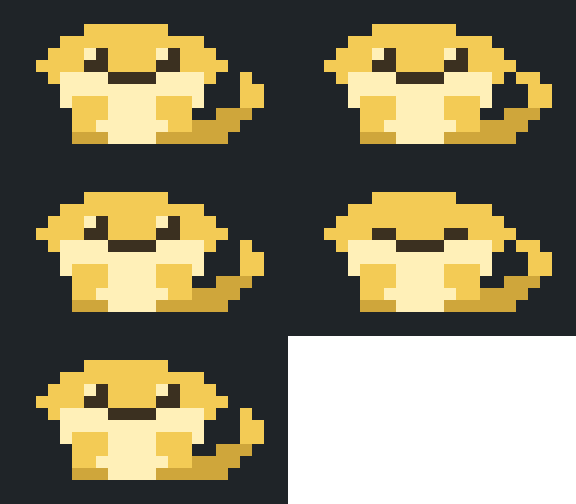 | 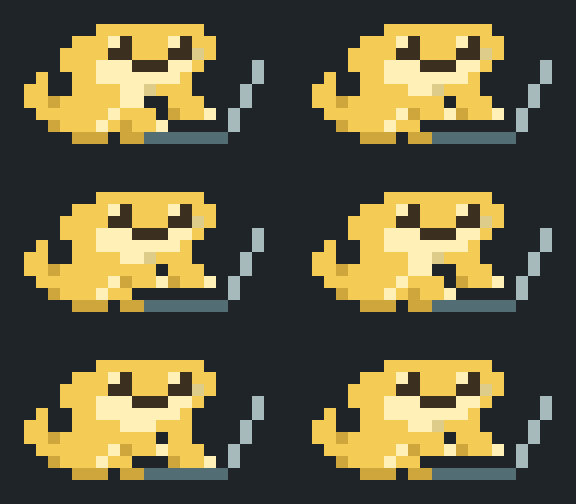 | 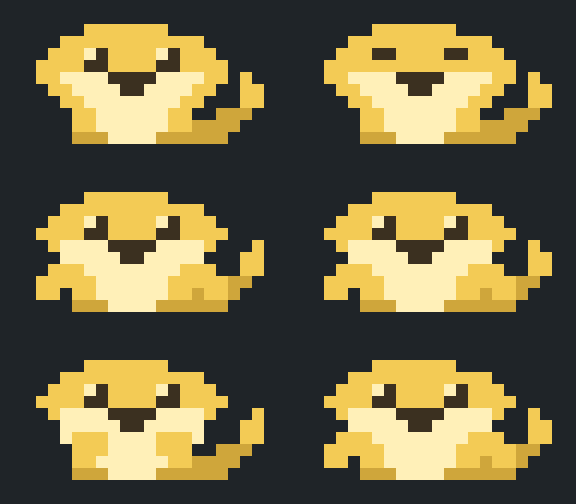 | 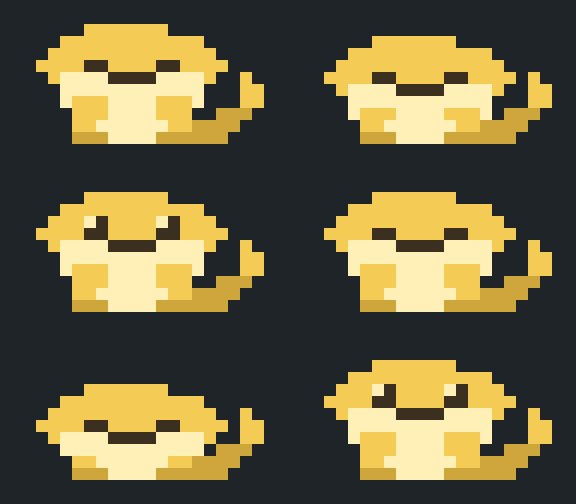 |
The pet reflects the session state: idle, working, done, and sleeping. The default art is a plain green sample lizard, meant to be redrawn. Bun-chan is included as a second art file (see Choose the pet).
claude --plugin-dir /path/to/claude-dotpet--plugin-dir loads the plugin for that session only. To load it in every session, add it to the CLAUDE_CODE_PLUGIN_DIRS environment variable: a :-separated list where each entry is either a plugin folder itself or a folder that contains plugin folders (both confirmed in 2.1.292). The variable does not appear in claude --help, so treat it as subject to change.
| Command | Effect |
|---|---|
/dotpet | Toggle on / off |
/dotpet on, /dotpet off | Turn on / off (persists across sessions) |
/dotpet big | Full body, 20 columns × 5 rows of half-block characters (20 × 10 dots) |
/dotpet small | Full body, 10 columns × 3 rows of octant characters (20 × 12 dots) |
/dotpet image | Experimental. Draws the pet as an image, 12 columns × 3 rows |
/dotpet still | Experimental. Single still image, no animation |
Notes:
small uses octant characters (U+1CD00 and above, "Symbols for Legacy Computing Supplement"). The terminal font must include these glyphs (e.g., Cascadia Code); otherwise, the pet displays as empty boxes.image and still require a terminal that supports the kitty graphics protocol. Both have been confirmed working in kitty and Ghostty (still on 2026-10-08 with Claude Code 2.1.292). In other terminals, a text fallback is shown; use big or small instead.Two art files are included in art/pets/:
| File | Pet | License |
|---|---|---|
sample-lizard.json | Green sample lizard (the default) | MIT |
bun-chan.json | Bun-chan, shown in the GIFs above | CC BY-NC 4.0 |
Switch art using the apply command from the repository folder:
node editor/apply_art.js --force art/pets/bun-chan.json
node editor/apply_art.js --force art/pets/sample-lizard.json
--force is needed because these files are not editor exports and carry no base marker. The command replaces the current art, so export your own drawing first if you want to keep it (previous files are also saved under backup/).
editor/dotpet_editor.html in a browser (Chrome was used during development).← and → move between frames. Hold the key down to preview the animation.Shift + arrow keys shift the picture by one dot. The target can be one picture, one state, or one size.dotpet_art_<timestamp>.json, and the page displays a command. node "/path/to/claude-dotpet/editor/apply_art.js" ~/Downloads/dotpet_art_<timestamp>.jsonThe command path is determined by the HTML file's location, so it works from any directory. The download location is assumed to be ~/Downloads; adjust it if your browser saves elsewhere.
/dotpet twice or restart the session.The apply command validates the file, backs up current files to backup/, rewrites art/dotpet_art.json and the four generated files (hooks/palette.ts, hooks/sit_art.ts, hooks/octant_art.ts, and editor/dotpet_art.js), and then runs claude plugin validate and claude plugin test. If those checks fail, files are restored from the backup. If the claude command is not found, the checks are skipped and a notice is printed.
| Option | Effect |
|---|---|
--check <file> | Validate only; write nothing |
--regen | Rebuild the generated files from art/dotpet_art.json |
--force | Continue past the two safety stops below (details are still printed) |
Exit codes: 0 on success, 1 on failure, 2 on invalid arguments.
dotpet_art*.json files that were never applied, the command stops and names them. Applied files are recorded in apply_ledger.json.--force overwrites the art with the given file, including any rollbacks listed. There is no automatic merge.
art/dotpet_art.json contains:
palette: nine colors under the fixed keys A S M E P K B C V. Color values can be changed; keys cannot be added.big (20 × 10) and small (20 × 12), each with poses (the pictures, one string per row, one character per dot, space = transparent) and order (which picture each frame shows).Fixed in this version:
hooks/art.ts.small, every 2 × 4 block of dots may use at most two colors, and transparent counts as one. A terminal cell can only carry a foreground and a background color. The editor outlines offending blocks in red and refuses to export until they are fixed.This section lists everything the plugin touches, for review. Nothing leaves the machine.
In the session (the mod): it reads the session state that Claude Code passes to its hooks (idle, working, done) and a timer, and draws the pet above the prompt input. It stores two values through Claude Code's plugin store: whether the pet is shown and which size was chosen. It registers one command, /dotpet. It does not read the conversation, the prompt text, files, or environment variables, does not run any external command, never calls the model, and never submits or edits a prompt.
The editor (editor/dotpet_editor.html): a single offline HTML page you open yourself. It makes no network requests and only downloads a JSON file to your browser's download folder.
The apply script (editor/apply_art.js): a Node.js script you run yourself from a terminal. It reads the JSON you exported, backs up the current art to backup/ inside the plugin folder, rewrites art/dotpet_art.json and the four generated files, and then runs claude plugin validate and claude plugin test on the plugin folder. It writes only inside the plugin folder and makes no network requests.
node editor/test_apply_art.js
claude plugin validate .
claude plugin test .art/pets/bun-chan.json and the GIFs in assets/): CC BY-NC 4.0. See LICENSE-ART.md. Credit the author when reusing it; commercial use, such as selling merchandise featuring the artwork, is not permitted. Showing Bun-chan in your own terminal is fine, including on a computer you use for work.The first draft of the Bun-chan pixel art was created with an AI tool; the author then redrew it by hand in the editor.
hooks/register.tsx 295 lines1import { atom, read, update } from 'claude-code'
2import type { EngineInterface, Register, RenderInput, Timer } from 'claude-code'
3
4import {
5 advance,
6 BOX,
7 cells,
8 dots,
9 frameAt,
10 picture,
11 TICK_MS,
12 wanted,
13 type Mode,
14 type Pet,
15 type Size,
16} from './art'
17import { octCells } from './octant'
18import { octDots } from './octant_art'
19
20const isOn = atom({ plugin: 'dotpet', key: 'isOn' } as const, true)
21const size = atom({ plugin: 'dotpet', key: 'size' } as const, 'big')
22// オクタントの絵は Text で描くので blit で描き替えられない。絵が変わるたびに数を進めて、帯を描き直させる
23const redraw = atom({ plugin: 'dotpet', key: 'redraw' } as const, 0)
24const RASTER = 'dotpet'
25const STORE_ON = 'isOn'
26const STORE_SIZE = 'size'
27const USAGE = '使い方: /dotpet(切り替え)・/dotpet on・/dotpet off・/dotpet big(全身)・/dotpet small(オクタントで小さい全身)・/dotpet image(画像で小さく・試験中)・/dotpet still(画像 1 枚・動かない)'
28const LABEL: Record<Size, string> = { big: '全身', small: 'オクタント', image: '画像', still: '静止画' }
29
30// 絵の状態。再読み込みで待機に戻ってよいので $.state には置かない(ON/OFF と大きさだけ $.state と $.store に置く)
31type Stage = { pet: Pet; size: Size; band: string | undefined; shown: string; timer: Timer | undefined }
32
33// 静止画で出す 1 枚(待機のおすわり)
34const STILL = picture(dots('idle', 0))
35
36// 画像を出せない端末で、絵の代わりに出る文
37const ALT = 'トカゲ(この端末は画像を出せません。/dotpet big で文字の絵に戻ります)'
38
39function drawn(stage: Stage): string[] {
40 const at = frameAt(stage.pet.mode, stage.pet.tick)
41
42 // 小はオクタント用に描かれた別の絵(20×12 ドット)
43 if (stage.size === 'small') {
44 return [...octDots(stage.pet.mode, at)]
45 }
46
47 return dots(stage.pet.mode, at)
48}
49
50function frame(stage: Stage): string {
51 return cells(drawn(stage))
52}
53
54// $ を受け取る関数はモジュール先頭で宣言する。
55// 絵が変わったときだけ描き替える。帯が畳まれているあいだの拒否は放っておく
56function paint($: EngineInterface, stage: Stage): void {
57 // 静止画は帯を描いたときの 1 枚だけで、描き替えを送らない
58 if (stage.band === undefined || stage.size === 'still') {
59 return
60 }
61
62 if (stage.size === 'small') {
63 const next = drawn(stage).join('\n')
64
65 if (next === stage.shown) {
66 return
67 }
68
69 stage.shown = next
70 void update($, redraw, n => n + 1).catch(() => undefined)
71
72 return
73 }
74
75 if (stage.size === 'image') {
76 const source = picture(drawn(stage))
77
78 if (source.rgba === stage.shown) {
79 return
80 }
81
82 stage.shown = source.rgba
83 void $.ui.blit({ requestId: stage.band, key: RASTER, source }).catch(() => undefined)
84
85 return
86 }
87
88 const next = frame(stage)
89
90 if (next === stage.shown) {
91 return
92 }
93
94 stage.shown = next
95 void $.ui.blit({ requestId: stage.band, key: RASTER, cells: next }).catch(() => undefined)
96}
97
98function setMode($: EngineInterface, stage: Stage, mode: Mode): void {
99 stage.pet = { mode, tick: 0 }
100 paint($, stage)
101}
102
103function tick($: EngineInterface, stage: Stage): void {
104 stage.pet = advance(stage.pet)
105 paint($, stage)
106}
107
108function stop(stage: Stage): void {
109 stage.timer?.cancel()
110 stage.timer = undefined
111 stage.band = undefined
112 stage.shown = ''
113}
114
115export const register: Register = on => {
116 const stage: Stage = { pet: { mode: 'idle', tick: 0 }, size: 'big', band: undefined, shown: '', timer: undefined }
117
118 on('session.start', async ($, e, next) => {
119 await $.command.register({ name: 'dotpet', description: 'トカゲ(入力欄の上のドット絵のペット)を出す・消す・大きさを変える: /dotpet [on|off|big|small|image|still]' })
120
121 if ((await $.store.get(STORE_ON)) === false) {
122 await update($, isOn, () => false)
123 }
124
125 const stored = await $.store.get(STORE_SIZE)
126
127 if (stored === 'small' || stored === 'image' || stored === 'still') {
128 await update($, size, () => stored)
129 }
130
131 // 以前の呼び名 oct で保存されていたら、小として読む
132 if (stored === 'oct') {
133 await update($, size, () => 'small')
134 }
135
136 return next(e)
137 })
138
139 on('command.run', { command: 'dotpet' }, async ($, e) => {
140 const want = wanted(e.args, await read($, isOn))
141
142 if (want === null) {
143 return { text: USAGE }
144 }
145
146 const chosen = want.size
147
148 if (chosen !== undefined) {
149 await update($, size, () => chosen)
150 await $.store.set(STORE_SIZE, chosen)
151 }
152
153 await update($, isOn, () => want.isOn)
154 await $.store.set(STORE_ON, want.isOn)
155
156 if (!want.isOn) {
157 return { text: 'トカゲ: OFF' }
158 }
159
160 return { text: `トカゲ: ON(${LABEL[await read($, size)]}・入力欄の上に出ます)` }
161 })
162
163 // turn.start の入力に agentId は無い(text と turnId だけ)ので、ここでは主担当かどうかを見分けない
164 on('turn.start', ($, e, next) => {
165 setMode($, stage, 'work')
166
167 return next(e)
168 })
169
170 on('turn.complete', async ($, e, next) => {
171 const ran = await next(e)
172
173 if (e.agentId === undefined) {
174 setMode($, stage, 'done')
175 }
176
177 return ran
178 })
179
180 on('ui.render', { component: 'AbovePrompt' }, async ($, e, next) => {
181 // Raster は端末だけの部品
182 if (e.surface !== 'terminal') {
183 return next(e)
184 }
185
186 // 下の MOD が帯を描くとき(vime の変換候補・ruling-tracker の未記録の裁定・drop-thumb の画像など)は、
187 // トカゲの下にその帯を積んで両方を出す(2026-10-09・それまでは譲ってトカゲが消えていた)。
188 // dotpet は名前順で先に読み込まれるので、next(e) を呼ばないと下の帯が出ない
189 const below = await next(e)
190 const hasBelow = below.type !== 'engine'
191
192 // 下の帯のぶん 1 行は空けておく。足りなければ従来どおり譲る
193 const pet = await petOf($, e, stage, hasBelow ? 1 : 0)
194
195 if (pet === null) {
196 return below
197 }
198
199 if (!hasBelow) {
200 return pet
201 }
202
203 const { Box } = $.ui.resolve(e)
204
205 return (
206 <Box flexDirection="column">
207 {pet}
208 {below}
209 </Box>
210 )
211 })
212}
213
214// トカゲの絵を 1 つ返す。出せない(OFF・アンケート中・高さ不足)ときは null を返し、時計も止める。
215// reserve = 下の帯のために空けておく行数
216async function petOf($: EngineInterface, e: RenderInput<'AbovePrompt', 'terminal'>, stage: Stage, reserve: number) {
217 stage.size = await read($, size)
218 const room = e.props.maxRows - reserve
219
220 // 静止画は帯を描いたときの 1 枚だけを出し、時計も回さない
221 if (stage.size === 'still') {
222 if (!(await read($, isOn)) || e.props.hasSurvey || room < BOX.still.rows) {
223 stop(stage)
224
225 return null
226 }
227
228 stage.timer?.cancel()
229 stage.timer = undefined
230 stage.band = e.requestId
231
232 const { Image: Still } = $.ui.resolve(e)
233
234 return <Still key={RASTER} source={STILL} columns={BOX.still.columns} rows={BOX.still.rows} alt={ALT} />
235 }
236
237 // オクタントは Raster で出せない文字(BMP の外)なので、色つきの Text を 1 マスずつ並べる
238 if (stage.size === 'small') {
239 if (!(await read($, isOn)) || e.props.hasSurvey || room < BOX.small.rows) {
240 stop(stage)
241
242 return null
243 }
244
245 // 絵が変わると paint がこの数を進めるので、読んでおくと帯が描き直される
246 await read($, redraw)
247 stage.band = e.requestId
248 stage.timer ??= $.clock.every(TICK_MS, () => tick($, stage))
249
250 const rows = drawn(stage)
251 stage.shown = rows.join('\n')
252
253 const { Box, Text } = $.ui.resolve(e)
254
255 return (
256 <Box flexDirection="column">
257 {octCells(rows).map(line => (
258 <Text>
259 {line.map(cell => (
260 <Text color={cell.color} backgroundColor={cell.background}>
261 {cell.char}
262 </Text>
263 ))}
264 </Text>
265 ))}
266 </Box>
267 )
268 }
269
270 const isImage = stage.size === 'image'
271 const box = BOX[stage.size]
272
273 if (!(await read($, isOn)) || e.props.hasSurvey || room < box.rows) {
274 stop(stage)
275
276 return null
277 }
278
279 const { Image, Raster } = $.ui.resolve(e)
280 stage.band = e.requestId
281 // 時計は帯を描いたときに初めて回す(画面の無い実行では回さない)
282 stage.timer ??= $.clock.every(TICK_MS, () => tick($, stage))
283
284 if (isImage) {
285 const source = picture(drawn(stage))
286 stage.shown = source.rgba
287
288 return <Image key={RASTER} source={source} columns={box.columns} rows={box.rows} alt={ALT} />
289 }
290
291 stage.shown = frame(stage)
292
293 return <Raster key={RASTER} columns={box.columns} rows={box.rows} cells={stage.shown} />
294}
295hooks/art.ts 163 lines1// 入力欄の上に出すドット絵のペット(大は20×10ドット)。
2// 絵と色の正本は art/dotpet_art.json。生成した sit_art.ts と palette.ts を読む。
3
4import { sitDots } from './sit_art'
5import { PALETTE } from './palette'
6export { PALETTE } from './palette'
7
8export type Mode = 'idle' | 'work' | 'done' | 'sleep'
9
10// 大 = おすわりの全身(20 文字 × 5 行)、小 = オクタント用に描かれた全身をオクタントの文字で出す(10 文字 × 3 行・絵は octant_art.ts、出し方は octant.ts)、
11// 画像 = 全身の絵を画像として出し、端末に縮めてもらう(12 文字 × 3 行。画像を出せる端末だけ・試験中)
12// 静止画 = 画像と同じ箱に、おすわりの絵を 1 枚だけ出す。描き替えを送らない(描き替えで絵が崩れる端末用)
13export type Size = 'big' | 'small' | 'image' | 'still'
14export const BOX: Record<Size, { columns: number; rows: number }> = {
15 big: { columns: 20, rows: 5 },
16 small: { columns: 10, rows: 3 },
17 image: { columns: 12, rows: 3 },
18 still: { columns: 12, rows: 3 },
19}
20const DEFAULT_COLOR = 0x01000000 // 端末の既定色(Raster の決まり)
21const UPPER = 0x2580 // ▀
22const LOWER = 0x2584 // ▄
23const SPACE = 0x20
24
25// 大・画像・静止画は同じ20×10ドット。小は octant_art.ts。
26export function dots(mode: Mode, frame: number): string[] {
27 return [...sitDots(mode, frame)]
28}
29
30export const WORK_CYCLE = 48
31
32// 1 文字 = 上下 2 ドット。Raster の cells([文字, 文字色, 背景色] の u32 を並べた base64)にする
33export function cells(rows: readonly string[]): string {
34 const columns = rows[0]!.length
35 const height = rows.length / 2
36 const words = new Uint32Array(columns * height * 3)
37
38 for (let y = 0; y < height; y++) {
39 for (let x = 0; x < columns; x++) {
40 const top = PALETTE[rows[y * 2]![x]!]
41 const bottom = PALETTE[rows[y * 2 + 1]![x]!]
42 const at = (y * columns + x) * 3
43 words[at] = top !== undefined ? UPPER : bottom !== undefined ? LOWER : SPACE
44 words[at + 1] = top ?? bottom ?? DEFAULT_COLOR
45 words[at + 2] = top !== undefined && bottom !== undefined ? bottom : DEFAULT_COLOR
46 }
47 }
48
49 return (new Uint8Array(words.buffer) as unknown as { toBase64(): string }).toBase64()
50}
51
52// 1 ドットを 4×4 ピクセルにする。端末が縮めるときにドットの角がぼけにくい
53const PIXELS_PER_DOT = 4
54
55export type Picture = { rgba: string; width: number; height: number }
56
57// Image の source(RGBA)にする。色の無いドットは透明
58export function picture(rows: readonly string[]): Picture {
59 const width = rows[0]!.length * PIXELS_PER_DOT
60 const height = rows.length * PIXELS_PER_DOT
61 const bytes = new Uint8Array(width * height * 4)
62
63 for (let y = 0; y < height; y++) {
64 const row = rows[Math.floor(y / PIXELS_PER_DOT)]!
65
66 for (let x = 0; x < width; x++) {
67 const color = PALETTE[row[Math.floor(x / PIXELS_PER_DOT)]!]
68
69 if (color !== undefined) {
70 const at = (y * width + x) * 4
71 bytes[at] = (color >> 16) & 0xff
72 bytes[at + 1] = (color >> 8) & 0xff
73 bytes[at + 2] = color & 0xff
74 bytes[at + 3] = 0xff
75 }
76 }
77 }
78
79 return { rgba: (bytes as unknown as { toBase64(): string }).toBase64(), width, height }
80}
81
82// 時計の 1 刻み = 330 ミリ秒
83// 時計の 1 刻み = 110 ミリ秒。作業中の打鍵を速く見せるための細かさで、ほかの状態は 3 刻み(330 ミリ秒)を 1 歩にする
84export const TICK_MS = 110
85export const STEP = 3
86export const DONE_TICKS = 24 * STEP // 完了の絵は 2 周・約 8 秒
87export const SLEEP_TICKS = 900 * STEP // 待機が約 5 分続いたら眠る
88
89// 待機は 10 歩で 1 周: 最初のコマを 3 歩見せ、あとは 1 歩ずつ(6 コマ目がまばたき)
90export function frameAt(mode: Mode, tick: number): number {
91 // 作業中は 1 コマ 1 刻み(4 コマの 1 往復が 440 ミリ秒。元の HTML の 560 ミリ秒より少し速い)
92 if (mode === 'work') {
93 return tick % WORK_CYCLE
94 }
95
96 const step = Math.floor(tick / STEP)
97
98 if (mode === 'idle') {
99 return Math.max(0, (step % 10) - 2)
100 }
101
102 // 完了は 12 歩、おやすみは 13 歩で 8 コマを 1 周する
103 const frames = mode === 'done'
104 ? [0, 0, 0, 0, 1, 2, 3, 4, 4, 5, 6, 7]
105 : [0, 0, 0, 1, 2, 2, 3, 4, 4, 5, 6, 6, 7]
106
107 return frames[step % frames.length]!
108}
109
110export type Pet = { mode: Mode; tick: number }
111
112// 1 刻み進める。完了は少し見せたら待機へ、待機が長く続いたら眠る
113export function advance(pet: Pet): Pet {
114 const tick = pet.tick + 1
115
116 if (pet.mode === 'done' && tick >= DONE_TICKS) {
117 return { mode: 'idle', tick: 0 }
118 }
119
120 if (pet.mode === 'idle' && tick >= SLEEP_TICKS) {
121 return { mode: 'sleep', tick: 0 }
122 }
123
124 return { mode: pet.mode, tick }
125}
126
127export type Wanted = { isOn: boolean; size?: Size }
128
129// `/dotpet` の引数。空は今の逆へ切り替える。大きさを言えば出したうえでその大きさにする。分からない語は null
130export function wanted(args: string, isOn: boolean): Wanted | null {
131 const word = args.trim().toLowerCase()
132
133 if (word === '') {
134 return { isOn: !isOn }
135 }
136
137 if (word === 'on' || word === 'オン') {
138 return { isOn: true }
139 }
140
141 if (word === 'off' || word === 'オフ') {
142 return { isOn: false }
143 }
144
145 if (word === 'big' || word === '大') {
146 return { isOn: true, size: 'big' }
147 }
148
149 if (word === 'small' || word === '小' || word === 'oct' || word === 'オクタント') {
150 return { isOn: true, size: 'small' }
151 }
152
153 if (word === 'image' || word === '画像') {
154 return { isOn: true, size: 'image' }
155 }
156
157 if (word === 'still' || word === '静止画') {
158 return { isOn: true, size: 'still' }
159 }
160
161 return null
162}
163hooks/octant.ts 71 lines1// オクタント(1 文字 = 横 2 × 縦 4 ドット)で全身を 10 文字 × 3 行にする(/dotpet small)。絵は octant_art.ts。
2// 文字は BMP の外(U+1CD00 台)にあり Raster では出せないので、色つきの Text を 1 マスずつ並べる。
3// 端末のフォントがこの文字を持っていないと豆腐になる(Cascadia Code は持っている)。
4
5import { PALETTE } from './art'
6
7// 添字 = ドットのビット(ビット 0〜7 が 左上・右上・2 段目左・2 段目右 … 左下・右下)。
8// Unicode 16 の文字名(BLOCK OCTANT-…)から機械的に作った表。手で直さない
9const GLYPHS = [
10 0x20, 0x1cea8, 0x1ceab, 0x1fb82, 0x1cd00, 0x2598, 0x1cd01, 0x1cd02, 0x1cd03, 0x1cd04, 0x259d, 0x1cd05, 0x1cd06, 0x1cd07, 0x1cd08, 0x2580,
11 0x1cd09, 0x1cd0a, 0x1cd0b, 0x1cd0c, 0x1fbe6, 0x1cd0d, 0x1cd0e, 0x1cd0f, 0x1cd10, 0x1cd11, 0x1cd12, 0x1cd13, 0x1cd14, 0x1cd15, 0x1cd16, 0x1cd17,
12 0x1cd18, 0x1cd19, 0x1cd1a, 0x1cd1b, 0x1cd1c, 0x1cd1d, 0x1cd1e, 0x1cd1f, 0x1fbe7, 0x1cd20, 0x1cd21, 0x1cd22, 0x1cd23, 0x1cd24, 0x1cd25, 0x1cd26,
13 0x1cd27, 0x1cd28, 0x1cd29, 0x1cd2a, 0x1cd2b, 0x1cd2c, 0x1cd2d, 0x1cd2e, 0x1cd2f, 0x1cd30, 0x1cd31, 0x1cd32, 0x1cd33, 0x1cd34, 0x1cd35, 0x1fb85,
14 0x1cea3, 0x1cd36, 0x1cd37, 0x1cd38, 0x1cd39, 0x1cd3a, 0x1cd3b, 0x1cd3c, 0x1cd3d, 0x1cd3e, 0x1cd3f, 0x1cd40, 0x1cd41, 0x1cd42, 0x1cd43, 0x1cd44,
15 0x2596, 0x1cd45, 0x1cd46, 0x1cd47, 0x1cd48, 0x258c, 0x1cd49, 0x1cd4a, 0x1cd4b, 0x1cd4c, 0x259e, 0x1cd4d, 0x1cd4e, 0x1cd4f, 0x1cd50, 0x259b,
16 0x1cd51, 0x1cd52, 0x1cd53, 0x1cd54, 0x1cd55, 0x1cd56, 0x1cd57, 0x1cd58, 0x1cd59, 0x1cd5a, 0x1cd5b, 0x1cd5c, 0x1cd5d, 0x1cd5e, 0x1cd5f, 0x1cd60,
17 0x1cd61, 0x1cd62, 0x1cd63, 0x1cd64, 0x1cd65, 0x1cd66, 0x1cd67, 0x1cd68, 0x1cd69, 0x1cd6a, 0x1cd6b, 0x1cd6c, 0x1cd6d, 0x1cd6e, 0x1cd6f, 0x1cd70,
18 0x1cea0, 0x1cd71, 0x1cd72, 0x1cd73, 0x1cd74, 0x1cd75, 0x1cd76, 0x1cd77, 0x1cd78, 0x1cd79, 0x1cd7a, 0x1cd7b, 0x1cd7c, 0x1cd7d, 0x1cd7e, 0x1cd7f,
19 0x1cd80, 0x1cd81, 0x1cd82, 0x1cd83, 0x1cd84, 0x1cd85, 0x1cd86, 0x1cd87, 0x1cd88, 0x1cd89, 0x1cd8a, 0x1cd8b, 0x1cd8c, 0x1cd8d, 0x1cd8e, 0x1cd8f,
20 0x2597, 0x1cd90, 0x1cd91, 0x1cd92, 0x1cd93, 0x259a, 0x1cd94, 0x1cd95, 0x1cd96, 0x1cd97, 0x2590, 0x1cd98, 0x1cd99, 0x1cd9a, 0x1cd9b, 0x259c,
21 0x1cd9c, 0x1cd9d, 0x1cd9e, 0x1cd9f, 0x1cda0, 0x1cda1, 0x1cda2, 0x1cda3, 0x1cda4, 0x1cda5, 0x1cda6, 0x1cda7, 0x1cda8, 0x1cda9, 0x1cdaa, 0x1cdab,
22 0x2582, 0x1cdac, 0x1cdad, 0x1cdae, 0x1cdaf, 0x1cdb0, 0x1cdb1, 0x1cdb2, 0x1cdb3, 0x1cdb4, 0x1cdb5, 0x1cdb6, 0x1cdb7, 0x1cdb8, 0x1cdb9, 0x1cdba,
23 0x1cdbb, 0x1cdbc, 0x1cdbd, 0x1cdbe, 0x1cdbf, 0x1cdc0, 0x1cdc1, 0x1cdc2, 0x1cdc3, 0x1cdc4, 0x1cdc5, 0x1cdc6, 0x1cdc7, 0x1cdc8, 0x1cdc9, 0x1cdca,
24 0x1cdcb, 0x1cdcc, 0x1cdcd, 0x1cdce, 0x1cdcf, 0x1cdd0, 0x1cdd1, 0x1cdd2, 0x1cdd3, 0x1cdd4, 0x1cdd5, 0x1cdd6, 0x1cdd7, 0x1cdd8, 0x1cdd9, 0x1cdda,
25 0x2584, 0x1cddb, 0x1cddc, 0x1cddd, 0x1cdde, 0x2599, 0x1cddf, 0x1cde0, 0x1cde1, 0x1cde2, 0x259f, 0x1cde3, 0x2586, 0x1cde4, 0x1cde5, 0x2588,
26]
27
28const CELL_ROWS = 4
29
30export type OctCell = { char: string; color?: string; background?: string }
31
32function hex(key: string): string | undefined {
33 return key === ' ' ? undefined : `#${PALETTE[key]!.toString(16).padStart(6, '0')}`
34}
35
36// 1 マス(8 ドット)を、文字 1 つ・文字色・地色にする。端末は 1 マス 2 色までで、透明(端末の既定色)も 1 色に数える。
37// 決め方は元の HTML の encodeOctantCell と同じ: 地色は透明があれば透明、無ければ最初のドットの色。もう 1 色が文字の色。
38// 絵(octant_art.ts)はどのマスも 2 色以内で、3 色目は来ない(テストで全コマ確かめている)
39function encode(pixels: readonly string[]): OctCell {
40 const colors = [...new Set(pixels)]
41 const back = colors.includes(' ') ? ' ' : colors[0]!
42 const front = colors.find(color => color !== back) ?? back
43 const bits = front === back ? 0 : pixels.reduce((sum, dot, k) => (dot === front ? sum | (1 << k) : sum), 0)
44
45 return { char: String.fromCodePoint(GLYPHS[bits]!), color: hex(front), background: hex(back) }
46}
47
48// 20×12 ドットの絵を、10 文字 × 3 行のマスにする
49export function octCells(rows: readonly string[]): OctCell[][] {
50 const width = rows[0]!.length
51 const out: OctCell[][] = []
52
53 for (let y = 0; y < rows.length; y += CELL_ROWS) {
54 const line: OctCell[] = []
55
56 for (let x = 0; x < width; x += 2) {
57 const pixels: string[] = []
58
59 for (let dy = 0; dy < CELL_ROWS; dy++) {
60 pixels.push(rows[y + dy]?.[x] ?? ' ', rows[y + dy]?.[x + 1] ?? ' ')
61 }
62
63 line.push(encode(pixels))
64 }
65
66 out.push(line)
67 }
68
69 return out
70}
71hooks/octant_art.ts 228 lines1// art/dotpet_art.json から editor/apply_art.js が作る。手で直さない
2
3const POSES: readonly (readonly string[])[] = [
4 [
5 " ",
6 " ",
7 " AAAA ",
8 " AAAAAAA ",
9 " A AAAAEAAA",
10 " AA AAAAAAAAAAAA",
11 " AAAAAAAAAAAAAAAAA ",
12 " AAAAAAAAAAAAAAA ",
13 " AA AA AA ",
14 " AA AA AA ",
15 " ",
16 " "
17 ],
18 [
19 " ",
20 " ",
21 " AAAA ",
22 " AAAAAAA ",
23 " A AAAASAAA",
24 " AA AAAAAAAAAAAA",
25 " AAAAAAAAAAAAAAAAA ",
26 " AAAAAAAAAAAAAAA ",
27 " AA AA AA ",
28 " AA AA AA ",
29 " ",
30 " "
31 ],
32 [
33 " ",
34 " ",
35 " AAAA ",
36 " AAAAAAA ",
37 " AAAAEAAA",
38 " AAAAAAAAAAAA",
39 "AAAAAAAAAAAAAAAAAAA ",
40 " AAAAAAAAAAAAAAA ",
41 " AA AA AA ",
42 " AA AA AA ",
43 " ",
44 " "
45 ],
46 [
47 " ",
48 " ",
49 " AAAA ",
50 " AAAAAAA ",
51 " A AAAAEAAA",
52 " AA AAAAAAAAAAAA",
53 " AAAAAAAAAAAAAAAAA ",
54 " AAAAAAAAAAAAAAA ",
55 " AA AA AA KK",
56 " AA AA AA KK",
57 " ",
58 " "
59 ],
60 [
61 " ",
62 " ",
63 " AAAA ",
64 " AAAAAAA ",
65 " A AAAAEAAA",
66 " AA AAAAAAAAAAAA",
67 " AAAAAAAAAAAAAAAAA ",
68 " AAAAAAAAAAAAAAA ",
69 " AA AA AA KK",
70 " AA AA KK",
71 " ",
72 " "
73 ],
74 [
75 " ",
76 " ",
77 " AAAA ",
78 " AAAAAAA ",
79 " A AAAAEAAA",
80 " AA AAAAAAAAAAAA",
81 " AAAAAAAAAAAAAAAAA ",
82 " AAAAAAAAAAAAAAA ",
83 " AA AA AA KK",
84 " AA AA KK",
85 " ",
86 " "
87 ],
88 [
89 " ",
90 " ",
91 " AAAA ",
92 " AAAAAAA ",
93 " A AAAASAAA",
94 " AA AAAAAAAAAAAA",
95 " AAAAAAAAAAAAAAAAA ",
96 " AAAAAAAAAAAAAAA ",
97 " AA AA AA KK",
98 " AA AA KK",
99 " ",
100 " "
101 ],
102 [
103 " ",
104 " ",
105 " AA AAAA ",
106 " AA AAAAAAA ",
107 " A AA AAAAEAAA",
108 " AA AAAAAAAAAAAA",
109 " AAAAAAAAAAAAAAAAA ",
110 " AAAAAAAAAAAAAAA ",
111 " AA AA AA ",
112 " AA AA AA ",
113 " ",
114 " "
115 ],
116 [
117 " ",
118 " ",
119 " AA AAAA ",
120 " AA AAAAAAA ",
121 " A AA AAAASAAA",
122 " AA AAAAAAAAAAAA",
123 " AAAAAAAAAAAAAAAAA ",
124 " AAAAAAAAAAAAAAA ",
125 " AA AA AA ",
126 " AA AA AA ",
127 " ",
128 " "
129 ],
130 [
131 " VV ",
132 " ",
133 " AA AAAA ",
134 " AA AAAAAAA ",
135 " A AA AAAAEAAA",
136 " AA AAAAAAAAAAAA",
137 " AAAAAAAAAAAAAAAAA ",
138 " AAAAAAAAAAAAAAA ",
139 " AA AA AA ",
140 " AA AA AA ",
141 " ",
142 " "
143 ],
144 [
145 " ",
146 " ",
147 " AAAA ",
148 " AAAAAAA ",
149 " AA AAAAEAAA",
150 " AAAAAAAAAAAA",
151 "AAAAAAAAAAAAAAAAAAA ",
152 " AAAAAAAAAAAAAAA ",
153 " AA AA AA ",
154 " AA AA AA ",
155 " ",
156 " "
157 ],
158 [
159 " ",
160 " VV ",
161 " AAAA ",
162 " AAAAAAA ",
163 " AA AAAAEAAA",
164 " AAAAAAAAAAAA",
165 "AAAAAAAAAAAAAAAAAAA ",
166 " AAAAAAAAAAAAAAA ",
167 " AA AA AA ",
168 " AA AA AA ",
169 " ",
170 " "
171 ],
172 [
173 " ",
174 " ",
175 " AAAA ",
176 " AAAAAAA ",
177 " AAAASAAA",
178 " AAAAAAAAAAAA",
179 "AAAAAAAAAAAAAAAAAAA ",
180 " AAAAAAAAAAAAAAA ",
181 " AA AA AA ",
182 " AA AA AA ",
183 " ",
184 " "
185 ],
186 [
187 " ",
188 " ",
189 " PP AAAA ",
190 " AAAAAAA ",
191 " AAAASAAA",
192 " AAAAAAAAAAAA",
193 "AAAAAAAAAAAAAAAAAAA ",
194 " AAAAAAAAAAAAAAA ",
195 " AA AA AA ",
196 " AA AA AA ",
197 " ",
198 " "
199 ],
200 [
201 " PP ",
202 " ",
203 " PP AAAA ",
204 " AAAAAAA ",
205 " AAAASAAA",
206 " AAAAAAAAAAAA",
207 "AAAAAAAAAAAAAAAAAAA ",
208 " AAAAAAAAAAAAAAA ",
209 " AA AA AA ",
210 " AA AA AA ",
211 " ",
212 " "
213 ]
214]
215
216const ORDER: Record<'idle' | 'work' | 'done' | 'sleep', readonly number[]> = {
217 idle: [0, 0, 1, 0, 0, 0, 2, 0],
218 work: [3, 4, 5, 4, 3, 4, 5, 4, 3, 4, 5, 4, 3, 4, 5, 4, 3, 6, 5, 4, 3, 4, 5, 4, 3, 4, 5, 4, 3, 4, 5, 4, 3, 4, 5, 4, 3, 4, 5, 4, 3, 4, 5, 6, 3, 6, 5, 4],
219 done: [7, 8, 9, 8, 10, 10, 11, 10],
220 sleep: [12, 13, 14, 0, 12, 13, 14, 0],
221}
222
223export function octDots(mode: 'idle' | 'work' | 'done' | 'sleep', frame: number): readonly string[] {
224 const frames = ORDER[mode]
225
226 return POSES[frames[frame % frames.length]!]!
227}
228hooks/sit_art.ts 198 lines1// art/dotpet_art.json から editor/apply_art.js が作る。手で直さない
2
3const POSES: readonly (readonly string[])[] = [
4 [
5 " ",
6 " ",
7 " AAAA ",
8 " AAAAAAA ",
9 " A AAAAEAAA",
10 " AA AAAAAAAAAAAA",
11 " AAAAAAAAAAAAAAAAA ",
12 " AAAAAAAAAAAAAAA ",
13 " AA AA AA ",
14 " AA AA AA "
15 ],
16 [
17 " ",
18 " ",
19 " AAAA ",
20 " AAAAAAA ",
21 " A AAAASAAA",
22 " AA AAAAAAAAAAAA",
23 " AAAAAAAAAAAAAAAAA ",
24 " AAAAAAAAAAAAAAA ",
25 " AA AA AA ",
26 " AA AA AA "
27 ],
28 [
29 " ",
30 " ",
31 " AAAA ",
32 " AAAAAAA ",
33 " AAAAEAAA",
34 " AAAAAAAAAAAA",
35 "AAAAAAAAAAAAAAAAAAA ",
36 " AAAAAAAAAAAAAAA ",
37 " AA AA AA ",
38 " AA AA AA "
39 ],
40 [
41 " ",
42 " ",
43 " AAAA ",
44 " AAAAAAA ",
45 " A AAAAEAAA",
46 " AA AAAAAAAAAAAA",
47 " AAAAAAAAAAAAAAAAA ",
48 " AAAAAAAAAAAAAAA ",
49 " AA AA AA KK",
50 " AA AA AA KK"
51 ],
52 [
53 " ",
54 " ",
55 " AAAA ",
56 " AAAAAAA ",
57 " A AAAAEAAA",
58 " AA AAAAAAAAAAAA",
59 " AAAAAAAAAAAAAAAAA ",
60 " AAAAAAAAAAAAAAA ",
61 " AA AA AA KK",
62 " AA AA KK"
63 ],
64 [
65 " ",
66 " ",
67 " AAAA ",
68 " AAAAAAA ",
69 " A AAAAEAAA",
70 " AA AAAAAAAAAAAA",
71 " AAAAAAAAAAAAAAAAA ",
72 " AAAAAAAAAAAAAAA ",
73 " AA AA AA KK",
74 " AA AA KK"
75 ],
76 [
77 " ",
78 " ",
79 " AAAA ",
80 " AAAAAAA ",
81 " A AAAASAAA",
82 " AA AAAAAAAAAAAA",
83 " AAAAAAAAAAAAAAAAA ",
84 " AAAAAAAAAAAAAAA ",
85 " AA AA AA KK",
86 " AA AA KK"
87 ],
88 [
89 " ",
90 " ",
91 " AA AAAA ",
92 " AA AAAAAAA ",
93 " A AA AAAAEAAA",
94 " AA AAAAAAAAAAAA",
95 " AAAAAAAAAAAAAAAAA ",
96 " AAAAAAAAAAAAAAA ",
97 " AA AA AA ",
98 " AA AA AA "
99 ],
100 [
101 " ",
102 " ",
103 " AA AAAA ",
104 " AA AAAAAAA ",
105 " A AA AAAASAAA",
106 " AA AAAAAAAAAAAA",
107 " AAAAAAAAAAAAAAAAA ",
108 " AAAAAAAAAAAAAAA ",
109 " AA AA AA ",
110 " AA AA AA "
111 ],
112 [
113 " VV ",
114 " ",
115 " AA AAAA ",
116 " AA AAAAAAA ",
117 " A AA AAAAEAAA",
118 " AA AAAAAAAAAAAA",
119 " AAAAAAAAAAAAAAAAA ",
120 " AAAAAAAAAAAAAAA ",
121 " AA AA AA ",
122 " AA AA AA "
123 ],
124 [
125 " ",
126 " ",
127 " AAAA ",
128 " AAAAAAA ",
129 " AA AAAAEAAA",
130 " AAAAAAAAAAAA",
131 "AAAAAAAAAAAAAAAAAAA ",
132 " AAAAAAAAAAAAAAA ",
133 " AA AA AA ",
134 " AA AA AA "
135 ],
136 [
137 " ",
138 " VV ",
139 " AAAA ",
140 " AAAAAAA ",
141 " AA AAAAEAAA",
142 " AAAAAAAAAAAA",
143 "AAAAAAAAAAAAAAAAAAA ",
144 " AAAAAAAAAAAAAAA ",
145 " AA AA AA ",
146 " AA AA AA "
147 ],
148 [
149 " ",
150 " ",
151 " AAAA ",
152 " AAAAAAA ",
153 " AAAASAAA",
154 " AAAAAAAAAAAA",
155 "AAAAAAAAAAAAAAAAAAA ",
156 " AAAAAAAAAAAAAAA ",
157 " AA AA AA ",
158 " AA AA AA "
159 ],
160 [
161 " ",
162 " ",
163 " PP AAAA ",
164 " AAAAAAA ",
165 " AAAASAAA",
166 " AAAAAAAAAAAA",
167 "AAAAAAAAAAAAAAAAAAA ",
168 " AAAAAAAAAAAAAAA ",
169 " AA AA AA ",
170 " AA AA AA "
171 ],
172 [
173 " PP ",
174 " ",
175 " PP AAAA ",
176 " AAAAAAA ",
177 " AAAASAAA",
178 " AAAAAAAAAAAA",
179 "AAAAAAAAAAAAAAAAAAA ",
180 " AAAAAAAAAAAAAAA ",
181 " AA AA AA ",
182 " AA AA AA "
183 ]
184]
185
186const ORDER: Record<'idle' | 'work' | 'done' | 'sleep', readonly number[]> = {
187 idle: [0, 0, 1, 0, 0, 0, 2, 0],
188 work: [3, 4, 5, 4, 3, 4, 5, 4, 3, 4, 5, 4, 3, 4, 5, 4, 3, 6, 5, 4, 3, 4, 5, 4, 3, 4, 5, 4, 3, 4, 5, 4, 3, 4, 5, 4, 3, 4, 5, 4, 3, 4, 5, 6, 3, 6, 5, 4],
189 done: [7, 8, 9, 8, 10, 10, 11, 10],
190 sleep: [12, 13, 14, 0, 12, 13, 14, 0],
191}
192
193export function sitDots(mode: 'idle' | 'work' | 'done' | 'sleep', frame: number): readonly string[] {
194 const frames = ORDER[mode]
195
196 return POSES[frames[frame % frames.length]!]!
197}
198hooks/palette.ts 14 lines1// art/dotpet_art.json から editor/apply_art.js が作る。手で直さない
2
3export const PALETTE: Record<string, number> = {
4 A: 0x6fbf73,
5 S: 0x3f8f52,
6 M: 0xe8f5c8,
7 E: 0x1f2a1f,
8 P: 0xa6b9bb,
9 K: 0x526e74,
10 B: 0x8a5a2b,
11 C: 0x174b55,
12 V: 0xf2d85c,
13}
14types/index.d.ts 8 lines1export type DotpetSize = 'big' | 'small' | 'image' | 'still'
2
3declare module 'claude-code' {
4 interface PluginState {
5 dotpet: { isOn: boolean; size: DotpetSize; redraw: number }
6 }
7}
8