SLOPSHOPPER

codev-spike

EXPERIMENT #1782 spike: Codev guard, attribution scrub, context band and issue peek. Never installed; loaded only by an explicit --plugin-dir.

newpanebandguardcommandprompt
A shopper browsing a rack in a slop shop
Preview · a replayed session in a sandbox
claude · ~/work/app · codev-spike
│ ┃ issue-peek ✕ › fix the failing auth test and add an audit log call │ ┃ No issue selected. │ ⏺ Read(src/auth.ts) │ ⎿ Read 6 lines │ ⏺ Update(src/auth.ts) │ ⎿ Added 2 lines, removed 1 line │ ⏺ Bash(bun test) │ ⎿ 3 pass, 1 fail │ │ ● Done. refresh now rejects expired claims and logs an audit event. │ │ ✻ Worked for 42s · done 4:20 PM │ │ › /issue │ ⎿ codev-spike: Usage: /issue <number> │ │ context 49% · save at 70% ────────────────────────────────────────────────────────────────────────────────────────────────────────────────────── › ? for shortcuts

Draws

Band
context 49% · save at 70%
Pane · issue-peek
No issue selected.
README

Codev: A Human-Agent Software Development OS

npm version License: MIT Discord LinkedIn Website Newsletter

Agent Farm Dashboard

New: A Tour of CodevOS — A deep dive into how Codev orchestrates human-agent collaboration: the SPIR protocol, Agent Farm, multi-model consultation, and the architecture that ties it all together.

Codev turns GitHub Issues into tested, reviewed PRs. You write specs; autonomous AI builders handle the rest.

Results: One architect + autonomous AI builders shipped 106 PRs in 14 days, median feature in 57 minutes. In controlled comparison, SPIR consistently outperformed unstructured AI coding across 4 rounds. Case study | Production data

Quick Links: FAQ | Tips | Cheatsheet | CLI Reference | Why Codev? | Discord

📬 Stay updated — Subscribe to the Codev newsletter for release notes, tips, and community updates.

Table of Contents

Quick Start

# 1. Install
npm install -g @cluesmith/codev

# 2. Initialize a project
mkdir my-project && cd my-project
codev init

# 3. Verify setup
codev doctor

# 4. Start the workspace (optional)
afx workspace start

Then open a GitHub Issue describing what you want to build, and run:

afx spawn <issue-number>

For the full walkthrough, see Getting Started.

CLI Commands:

  • codev - Main CLI (init, adopt, doctor, update)
  • afx - Agent Farm for parallel AI builders
  • consult - Multi-model consultation

See CLI Reference for details.

Using Codev from VS Code

Prerequisite: the extension does not bundle Codev. Install the CLI and initialize your project first (steps 1–3 above). The extension drives the same afx/Tower the npm install provides, and will fail to start Tower without it.

With that in place, the extension turns VS Code into the cockpit for the whole workflow:

  1. Install Codev for VS Code from the Marketplace, or from Open VSX for Cursor, Kiro, and other VS Code-based editors.
  2. Open your Codev project. The extension auto-detects the workspace and connects to Tower, auto-starting it if it isn't running.
  3. Click the Codev icon in the Activity Bar and work from the sidebar: talk to the architect, spawn builders straight from your issue backlog, and watch every builder's live state (active, blocked at a gate, waiting on input). Review a builder's diff with inline comments that queue back to the agent, approve its gates, and run its branch with one click to try the change before any PR exists. Specs and plans open in an annotation viewer, and a contextual panel follows whatever you are looking at. The "Get started with Codev" walkthrough (Help → Welcome) tours the basics.

The extension's full guide is in its README: the sidebar tour, the review flow, keyboard shortcuts, and runnable worktrees.

Upgrading

Upgrading is two steps, not one — the npm package and your projects' framework files update separately:

# 1. Update the CLI (once per machine)
npm install -g @cluesmith/codev@latest    # or @next for the release-candidate channel

# 2. Update framework files (once per project/workspace)
cd my-project
codev update

npm install -g updates the binaries (codev, afx, porch, consult) and the built-in protocol skeleton. codev update then refreshes the files checked into each project — CLAUDE.md/AGENTS.md, protocol and resource files, skills — merging your local customizations. Skipping step 2 leaves your projects running old prompts against a new CLI, which is the most common source of "my agents stopped following the protocol" reports.

VS Code extension: "Codev for VS Code" updates through the Marketplace like any extension (auto-update by default, or Extensions panel → Codev → Update). Keep it current with the CLI — Tower and the extension are versioned together.

If Tower is running during an upgrade, restart it afterwards so it picks up the new code: afx tower stop && afx tower start.

How It Works

  1. Write a spec — Describe what you want. The architect helps refine it.
  2. Spawn a builder — afx spawn 42 kicks off an autonomous agent in an isolated worktree.
  3. Review the plan — The builder writes an implementation plan. You approve or annotate.
  4. Walk away — The builder implements, tests, and opens a PR. You review and merge.

Prerequisites

Core (required):

DependencyInstallPurpose
Node.js 18+brew install nodeRuntime
git 2.5+(pre-installed)Version control
AI CLIsSee belowAll three recommended

AI CLIs (install all three for multi-model consultation):

  • Claude Code: npm install -g @anthropic-ai/claude-code
  • Antigravity CLI (agy, the gemini consult lane): curl -fsSL https://antigravity.google/cli/install.sh | bash, then run agy once to sign in (OAuth — replaces the retired Gemini CLI)
  • Codex CLI: npm install -g @openai/codex

Agent Farm (optional):

DependencyInstallPurpose
ghbrew install ghGitHub CLI

See DEPENDENCIES.md for complete details.

Learn about Codev

❓ FAQ

Common questions about Codev: FAQ

💡 Tips & Tricks

Practical tips for getting the most out of Codev: Tips & Tricks

📋 Cheatsheet

Quick reference for Codev's philosophies, concepts, and tools: Cheatsheet

📺 Quick Introduction (5 minutes)
Codev Introduction

Watch a brief overview of what Codev is and how it works.

Generated using NotebookLM - Visit the notebook to ask questions about Codev and learn more.

💬 Participate

Join the conversation in GitHub Discussions or our Discord community! Share your specs, ask questions, and learn from the community.

Get notified of new discussions: Click the Watch button at the top of this repo → Custom → check Discussions.

📺 Extended Overview (Full Version)
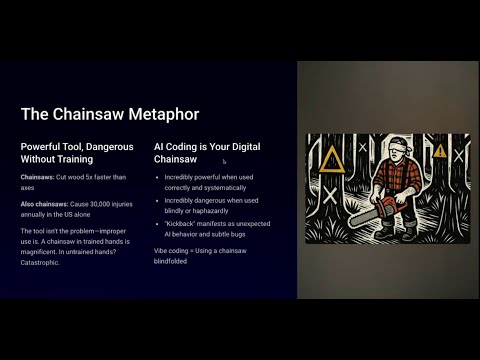
Codev Extended Overview

A comprehensive walkthrough of the Codev methodology and its benefits.

🛠️ Agent Farm Demo: Building a Feature with AI

Agent Farm Demo

Watch a real development session using Agent Farm - from spec to merged PR in 30 minutes. Demonstrates the Architect-Builder pattern with multi-model consultation.

🎯 Codev Tour - Building a Conversational Todo Manager

See Codev in action! Follow along as we use the SPIR protocol to build a conversational todo list manager from scratch:

👉 Codev Demo Tour

This tour demonstrates:

  • How to write specifications that capture all requirements
  • How the planning phase breaks work into manageable chunks
  • The implementation phase in action
  • Multi-agent consultation with GPT-5 and Gemini (via agy)
  • How lessons learned improve future development

What is Codev?

Codev is a development methodology that treats natural language context as code. Instead of writing code first and documenting later, you start with clear specifications that both humans and AI agents can understand and execute.

📖 Read the full story: Why We Created Codev: From Theory to Practice - Learn about our journey from theory to implementation and how we built a todo app without directly editing code.

Core Philosophy

  1. Context Drives Code - Context definitions flow from high-level specifications down to implementation details
  2. Human-AI Collaboration - Designed for seamless cooperation between developers and AI agents
  3. Evolving Methodology - The process itself evolves and improves with each project

The SPIR Protocol

Our flagship protocol for structured development:

  • Specify - Define what to build in clear, unambiguous language
  • Plan - Break specifications into executable phases
  • Implement - Build the code, write tests, verify requirements for each phase
  • Review - Capture lessons and improve the methodology

Project Structure

After running codev init or codev adopt, your project has a minimal structure:

your-project/
├── codev/
│   ├── specs/              # Feature specifications
│   ├── plans/              # Implementation plans
│   ├── reviews/            # Review and lessons learned
│   └── resources/           # Reference materials
├── AGENTS.md               # AI agent instructions (AGENTS.md standard)
├── CLAUDE.md               # AI agent instructions (Claude Code)
└── [your code]

Customizable and Extendable

Codev is designed to be customized for your project's needs. The codev/ directory is yours to extend:

  • Add project-specific protocols - For example, Codev itself has a release protocol specific to npm publishing
  • Customize existing protocols - Modify SPIR phases to match your team's workflow
  • Add new roles - Define specialized consultant or reviewer roles

The framework provides defaults, but your local files always take precedence.

Context Hierarchy

In much the same way an operating system has a memory hierarchy, Codev repos have a context hierarchy. The codev/ directory holds the top 3 layers. This allows both humans and agents to think about problems at different levels of detail.

Context Hierarchy

Key insight: We build from the top down, and we propagate information from the bottom up. We start with a GitHub issue, then spec and plan out the feature, generate the code, and then propagate what we learned through the reviews.

Key Features

📄 Natural Language is the Primary Programming Language

  • Specifications and plans drive implementation
  • All decisions captured in version control
  • Clear traceability from idea to implementation

🤖 AI-Native Workflow

  • Structured formats that AI agents understand
  • Multi-agent consultation support (GPT-5, Gemini via agy, etc.)
  • Reduces back-and-forth from dozens of messages to 3-4 document reviews
  • Supports both AGENTS.md standard (Cursor, Copilot, etc.) and CLAUDE.md (Claude Code)

🔄 Continuous Improvement

  • Every project improves the methodology
  • Lessons learned feed back into the process
  • Templates evolve based on real experience

📚 Example Implementations

Both projects below were given the exact same prompt to build a Todo Manager application using Claude Code with Opus. The difference? The methodology used:

Todo Manager - VIBE

  • Built using a VIBE-style prompt approach (same model, same prompt)
  • Produced boilerplate scaffolding but 0% of the specified functionality
  • No tests, no database, no working API — demonstrates how conversational approaches can miss the mark entirely

Todo Manager - SPIR

  • Built using the SPIR protocol with full document-driven development
  • Same requirements, but structured through formal specifications and plans
  • Demonstrates all phases: Specify → Plan → Implement → Review
  • Complete with specs, plans, and review documents
  • Multi-agent consultation throughout the process

Methodology: Same prompt, same AI model (Claude Opus). Unstructured (conversational) vs SPIR (structured protocol). Scored by 3 independent AI agents (Claude, Codex, Gemini Pro) on a 1-10 scale. Full auto-approved gates — no human review input — to isolate the protocol's effect.

Latest Results (Round 4, Feb 2026)
DimensionUnstructuredSPIRDelta
Overall5.87.0+1.2
Bugs6.77.3+0.7
Code Quality7.07.7+0.7
Tests5.06.7+1.7
Deployment2.76.7+4.0
Key Findings
  • +1.2 quality advantage consistent across all 4 rounds (R1: +1.3, R2: +1.2, R4: +1.2)
  • SPIR produced 2.9x more test code with broader layer coverage
  • SPIR produced fewer source lines (1,249 vs 1,294) while being more complete — the first round where structured code was more concise
  • Deployment readiness showed the largest delta of any dimension in any round (+4.0): multi-stage Dockerfile, standalone output, deploy instructions
  • Multi-agent consultation caught 5 implementation bugs pre-merge at a cost of $4.38

Build time: SPIR took ~56 min vs ~15 min for unstructured (3.7x). Consultation accounts for 45% of the overhead. Estimated cost: $14-19 vs $4-7 (3-5x). For production code, the deployment readiness and test coverage alone justify the investment.

See full Round 4 analysis for detailed scoring, bug sweeps, and architecture comparison.

🐕 Eating Our Own Dog Food

Codev is self-hosted — we use Codev to build Codev. Every feature goes through SPIR. Every improvement has a spec, plan, and review.

Production Metrics (Feb 2026)

Over a 14-day sprint building Codev with Codev (full analysis):

MetricValue
Merged PRs106
Closed issues105
Commits801
Median feature implementation57 minutes
Fully autonomous builders85% (22 of 26)
Pre-merge bugs caught by consultation20
Consultation cost per PR$1.59

One architect with autonomous builders matched the output of a 3-4 person elite engineering team (benchmarked against 5 PRs/developer/week from LinearB's 2026 analysis of 8.1M PRs). The bugfix pipeline is genuinely autonomous: 66% of fixes ship in under 30 minutes (median 13 min from PR creation to merge).

Multi-agent consultation catches real bugs that single-model review misses. No single reviewer found all 20 bugs — Codex excels at edge-case exhaustiveness, Claude at runtime semantics, Gemini at architecture.

This self-hosting approach ensures:

  1. The methodology is battle-tested on real development
  2. We experience the same workflow we recommend to users
  3. Pain points are felt by us first and fixed quickly
  4. The framework evolves based on actual usage, not theory

Understanding This Repository's Structure

This repository has a dual nature:

  1. codev/ - Our instance of Codev for developing Codev itself
  2. Contains our specs, plans, reviews, and resources
  3. Example: codev/specs/0001-test-infrastructure.md documents how we built our test suite
  1. codev-skeleton/ - The template that gets installed in other projects
  2. Contains protocol definitions, templates, and agents
  3. What users get when they install Codev
  4. Does NOT contain specs/plans/reviews (those are created by users)

In short: codev/ is how we use Codev, codev-skeleton/ is what we provide to others.

Our test suite validates the Codev CLI and Agent Farm:

  • Framework: Vitest (unit tests) + Playwright (E2E tests)
  • Coverage: CLI commands, porch protocol orchestration, Agent Farm dashboard
  • Isolation: Tests run in isolated environments
# From packages/codev/
npm test              # Run unit tests
npm run test:e2e      # Run E2E tests

See Testing Guide for details.

Examples

Todo Manager Tutorial

See examples/todo-manager/ for a complete walkthrough showing:

  • How specifications capture all requirements
  • How plans break work into phases
  • How the implementation phase ensures quality
  • How lessons improve future development

Configuration

Customizing Templates

Templates in codev/protocols/spir/templates/ can be modified to fit your team's needs:

  • spec.md - Specification structure
  • plan.md - Planning format
  • lessons.md - Retrospective template

Agent Farm (Optional)

Agent Farm is an optional companion tool for Codev that provides a web-based dashboard for managing multiple AI agents working in parallel. You can use Codev without Agent Farm - all protocols (SPIR, TICK, etc.) work perfectly in any AI coding assistant.

Why use Agent Farm?

  • Web dashboard for monitoring multiple builders at once
  • Protocol-aware - knows about specs, plans, and Codev conventions
  • Git worktree management - isolates each builder's changes
  • Automatic prompting - builders start with instructions to implement their assigned spec

Current limitations:

  • Uses shellper processes for persistent terminal sessions (node-pty handles terminal I/O)
  • macOS-focused (should work on Linux but less tested)

Alternative Agent Shells

Agent Farm supports multiple AI coding agents as shells. Configure in .codev/config.json:

Claude Code (default):

{
  "shell": {
    "architect": "claude --dangerously-skip-permissions",
    "builder": "claude --dangerously-skip-permissions"
  }
}

OpenCode (builder only):

{
  "shell": {
    "architect": "claude --dangerously-skip-permissions",
    "builder": "opencode run"
  }
}

OpenCode supports 75+ LLM providers (OpenAI, Anthropic, Google, Ollama, etc.). When using OpenCode as a builder:

  • Include run in the command (plain opencode launches the TUI, which hangs in a PTY session)
  • Configure tool permissions for unattended execution in ~/.config/opencode/opencode.json or your project's opencode.json: ``json { "permission": { "edit": "allow", "bash": "allow" } } ``
  • OpenCode reads AGENTS.md for project instructions (already present in Codev projects)
  • OpenCode is only supported as a builder shell, not as an architect shell

Codex is also supported via the harness system. See packages/codev/src/agent-farm/utils/harness.ts for details, or define a custom harness in .codev/config.json. (The built-in Gemini CLI harness is retired — see the note under Autonomous Builder Flags below.)

Architect-Builder Pattern

For parallel AI-assisted development, Codev includes the Architect-Builder pattern:

  • Architect (you + primary AI): Creates specs and plans, reviews work
  • Builders (autonomous AI agents): Implement specs in isolated git worktrees

Quick Start

# Start the workspace
afx workspace start

# Spawn a builder for a spec
afx spawn 3 --protocol spir

# Check status
afx status

# Stop everything
afx workspace stop

The afx command is globally available after installing @cluesmith/codev.

Remote Access

Access Agent Farm from any device via cloud connectivity:

afx tower connect

Register your tower with codevos.ai for secure remote access from any browser — no SSH tunnels or port forwarding needed.

Autonomous Builder Flags

Builders need permission-skipping flags to run autonomously without human approval prompts:

CLI ToolFlagPurpose
Claude Code--dangerously-skip-permissionsSkip permission prompts for file/command operations

Configure in .codev/config.json (created by codev init or codev adopt):

{
  "shell": {
    "architect": "claude --dangerously-skip-permissions",
    "builder": "claude --dangerously-skip-permissions"
  }
}

The built-in Gemini CLI harness is retired as a builder/architect shell: Google ended consumer Gemini CLI access (Pro, Ultra, and free tiers) on 2026-06-18, so it is no longer offered as a supported built-in shell. Switch to a supported harness — claude or codex for either role, or opencode for builders (OpenCode is not supported as an architect shell). For example, Codex for both roles:

{
  "shell": {
    "architect": "codex",
    "builder": "codex"
  }
}

If you retain Gemini CLI access (a Standard/Enterprise subscription or API-key auth), you can still run it by defining a custom harness named gemini in .codev/config.json and selecting it explicitly with shell.builderHarness / shell.architectHarness. The explicit selector is required: a bare auto-detected gemini command (e.g. shell.builder: "gemini --yolo" with no builderHarness) stays retired, because auto-detection resolves the built-in namespace only.

{
  "shell": {
    "builder": "gemini --yolo",
    "builderHarness": "gemini"
  },
  "harness": {
    "gemini": {
      "roleArgs": [],
      "roleEnv": { "GEMINI_SYSTEM_MD": "${ROLE_FILE}" },
      "roleScriptFragment": "",
      "roleScriptEnv": { "GEMINI_SYSTEM_MD": "${ROLE_FILE}" }
    }
  }
}

The Gemini CLI reads its system prompt from the GEMINI_SYSTEM_MD environment variable pointing at the role file, so the custom harness injects via roleEnv / roleScriptEnv (with empty roleArgs) — reproducing exactly what the retired built-in harness did. See packages/codev/src/agent-farm/utils/harness.ts for the custom-harness fields. This is separate from the gemini consult lane, which is unaffected and now uses the Antigravity CLI agy.

Warning: These flags allow the AI to execute commands and modify files without asking. Only use in development environments where you trust the AI's actions.

See CLI Reference for full documentation.

Releases

Codev has a release protocol (codev/protocols/release/) that automates the entire release process. To release a new version:

Let's release v2.2.0

The AI guides you through: pre-flight checks, maintenance cycle, E2E tests, version bump, release notes, GitHub release, and npm publish.

Versioning Strategy

Version Typenpm TagExamplePurpose
Stablelatest2.1.1, 2.2.0Production-ready releases

| Release Candidate | next | 2.2.0-rc

Source 2 files
hooks/register.tsx 503 lines
1// EXPERIMENT #1782 spike mod: four #1761 candidates in one hooks module.
2//   1. Fail-closed guard on Bash (candidate 1)
3//   2. Attribution scrub (candidate 6)
4//   3. Context band (the band half of candidate 5)
5//   4. Issue peek: band chips, a user-opened pane, /issue N (candidate 13)
6// Plus one throwaway probe: /arch-init <name> submitted on /clear (live question 3).
7//
8// Never installed, never named in CLAUDE_CODE_PLUGIN_DIRS: it loads only when a
9// person starts `claude --plugin-dir <this folder>` (see ../notes.md, Handoff).
10
11import { atom, read, update } from 'claude-code'
12import type { EngineInterface, Register } from 'claude-code'
13
14import type { ContextFill, IssueCard, IssueRef, Peek } from '../types'
15
16// ---------------------------------------------------------------------------
17// State the drawings read
18// ---------------------------------------------------------------------------
19
20const context = atom({ plugin: 'codev-spike', key: 'context' } as const, null)
21const refs = atom({ plugin: 'codev-spike', key: 'refs' } as const, [])
22const titles = atom({ plugin: 'codev-spike', key: 'titles' } as const, {})
23const peek = atom({ plugin: 'codev-spike', key: 'peek' } as const, null)
24
25const PANE = 'issue-peek'
26
27// The /arch-save point the band marks. arch-save names no number; this is the
28// figure the #1761 review's band mock used, a spike assumption only.
29const SAVE_AT_PERCENT = 70
30
31// ---------------------------------------------------------------------------
32// Candidate 1: the guard. The worked example's list, plus ONE entry for
33// `git checkout -- .` (vscode architect ruling A, 2026-10-05; the one deviation).
34// ---------------------------------------------------------------------------
35
36const FORBIDDEN = [
37  { re: /\bgit\s+add\s+(-A|--all|\.)(\s|$)/, why: 'Stage files by path. Never git add -A, --all or .' },
38  { re: /\bgit\s+(reset\s+--hard|clean\s+-fd|stash)\b/, why: 'Destroys uncommitted work. Ask the human first.' },
39  { re: /\bgit\s+checkout\s+--\s+\.(\s|$)/, why: 'Destroys uncommitted work. Ask the human first.' },
40  { re: /\bgit\s+worktree\s+remove\b|\bgit\s+branch\s+-D\s+builder\//, why: 'Builder worktrees are afx-managed. Use afx spawn --resume.' },
41  { re: /\bgh\s+pr\s+merge\b.*--squash/, why: 'Merge with --merge. Squashing destroys the commit history.' },
42]
43
44const HOLD_QUESTION = 'porch approve records a human gate. Did the human give the word for this gate?'
45const HOLD_YES = 'Yes, relayed verbatim'
46const HOLD_DISMISSED =
47  'The human dismissed the gate question, so porch approve was not run. Not approved: wait for the human to give the word; never retry to get the question again.'
48
49// ---------------------------------------------------------------------------
50// Measurement: a hook's own time, as the engine meters it (next and $ calls
51// excluded), kept in $.store so /codev-spike-timings can print it.
52// ---------------------------------------------------------------------------
53
54type Budget = { readonly ms: number; readonly remainingMs: number }
55
56function ownMs(budget: Budget): number {
57  return budget.ms - budget.remainingMs
58}
59
60async function record($: EngineInterface, hook: string, ms: number): Promise<void> {
61  const stored = (await $.store.get('timings')) as Record<string, number[]> | undefined
62  const all = stored ?? {}
63  const list = all[hook] ?? []
64  list.push(ms)
65  all[hook] = list.slice(-50)
66  await $.store.set('timings', all)
67}
68
69// ---------------------------------------------------------------------------
70// Candidate 13: issue lookup through Tower's forge getIssue path
71// (GET /api/issue, the one #1412's terminal-link click uses).
72// ---------------------------------------------------------------------------
73
74const TOWER = 'http://localhost:4100'
75const CACHE_MS = 10 * 60 * 1000
76const REF_RE = /(PR\s+)?#(\d{2,6})\b/g
77
78export function findRefs(text: string): IssueRef[] {
79  const seen = new Set<string>()
80  const found: IssueRef[] = []
81  for (const match of text.matchAll(REF_RE)) {
82    const number = match[2] ?? ''
83    if (number === '' || seen.has(number)) {
84      continue
85    }
86    seen.add(number)
87    found.push({ number, isPR: match[1] !== undefined })
88  }
89
90  return found.slice(0, 9)
91}
92
93type TowerIssue = {
94  title?: string
95  state?: string
96  url?: string
97  body?: string
98  labels?: { name?: string }[]
99  comments?: { author?: { login?: string }; createdAt?: string; body?: string }[]
100}
101
102function toCard(number: string, raw: TowerIssue): IssueCard {
103  const comments = (raw.comments ?? []).slice(-3).reverse()
104
105  return {
106    number,
107    title: raw.title ?? '',
108    state: raw.state ?? '',
109    url: raw.url ?? '',
110    labels: (raw.labels ?? []).map(label => label.name ?? '').filter(name => name !== ''),
111    body: raw.body ?? '',
112    comments: comments.map(c => ({
113      author: c.author?.login ?? '?',
114      createdAt: c.createdAt ?? '',
115      body: c.body ?? '',
116    })),
117  }
118}
119
120async function towerIssue($: EngineInterface, number: string): Promise<IssueCard> {
121  const home = await $.env.get('HOME')
122  const key = (await $.fs.read(`${home ?? ''}/.agent-farm/local-key`)).trim()
123  const workspace = await $.session.cwd()
124  const query = `number=${encodeURIComponent(number)}&workspace=${encodeURIComponent(workspace)}`
125  const response = await $.http.fetch(`${TOWER}/api/issue?${query}`, {
126    headers: { 'codev-tower-key': key },
127  })
128  if (!response.ok) {
129    throw new Error(`Tower answered ${response.status} for #${number}`)
130  }
131
132  return toCard(number, JSON.parse(response.text) as TowerIssue)
133}
134
135async function getIssue($: EngineInterface, number: string): Promise<IssueCard> {
136  const cached = (await $.store.get(`issue:${number}`)) as { at: number; card: IssueCard } | undefined
137  const now = await $.clock.now()
138  if (cached !== undefined && now - cached.at < CACHE_MS) {
139    return cached.card
140  }
141  const card = await towerIssue($, number)
142  await $.store.set(`issue:${number}`, { at: now, card })
143
144  return card
145}
146
147async function prefetchTitles($: EngineInterface, list: IssueRef[]): Promise<void> {
148  for (const ref of list) {
149    try {
150      const card = await getIssue($, ref.number)
151      await update($, titles, all => ({ ...all, [ref.number]: card.title }))
152    } catch {
153      // A title is a nicety: the chip shows the bare number.
154    }
155  }
156}
157
158async function openPeek($: EngineInterface, number: string): Promise<void> {
159  const loading: Peek = { number }
160  await update($, peek, () => loading)
161  await $.ui.open({ id: PANE, title: `#${number}`, focus: true, closeOnEscape: true })
162  try {
163    const card = await getIssue($, number)
164    await update($, peek, () => ({ number, card }))
165  } catch (error) {
166    let message = String(error)
167    if (error instanceof Error) {
168      message = error.message
169    }
170    await update($, peek, () => ({ number, error: message }))
171  }
172}
173
174async function showRefs($: EngineInterface, text: string): Promise<void> {
175  const found = findRefs(text)
176  if (found.length === 0) {
177    return
178  }
179  await update($, refs, () => found)
180  $.clock.after(0, () => {
181    prefetchTitles($, found)
182  })
183}
184
185export function summarize(all: Record<string, number[]>): string {
186  const lines = Object.entries(all).map(([hook, list]) => {
187    const sorted = [...list].sort((a, b) => a - b)
188    const median = sorted[Math.floor(sorted.length / 2)] ?? 0
189    const max = sorted[sorted.length - 1] ?? 0
190    return `${hook}: n=${sorted.length} median=${median}ms max=${max}ms`
191  })
192  if (lines.length === 0) {
193    return 'No timings recorded yet.'
194  }
195
196  return lines.join('\n')
197}
198
199export function ellipsize(text: string, max: number): string {
200  if (text.length <= max) {
201    return text
202  }
203  if (max <= 1) {
204    return '…'
205  }
206
207  return `${text.slice(0, max - 1).trimEnd()}…`
208}
209
210// One chip's label, fitted to `max` cells: the number always whole, the title
211// cut with an ellipsis (live Q2: a title ran hard into the tab's edge).
212export function chipLabel(ref: IssueRef, title: string | undefined, max: number): string {
213  let label = `#${ref.number}`
214  if (ref.isPR) {
215    label = `PR ${label}`
216  }
217  const room = max - label.length - 1
218  if (title !== undefined && title !== '' && room >= 2) {
219    label = `${label} ${ellipsize(title, room)}`
220  }
221
222  return label
223}
224
225const CHIP_GAP = 2
226const HOTKEY_CELLS = 3 // "1: " a plain Button draws before its label
227
228// Cells each chip's label may take: the band's body less the context line,
229// shared evenly, less each chip's hotkey and the gap after it.
230export function chipRoom(bodyColumns: number, contextCells: number, chips: number): number {
231  let free = bodyColumns
232  if (contextCells > 0) {
233    free -= contextCells + CHIP_GAP
234  }
235  const share = Math.floor(free / Math.max(1, chips)) - HOTKEY_CELLS - CHIP_GAP
236
237  return Math.max(6, share)
238}
239
240function contextLine(fill: ContextFill): string {
241  let percent = '…'
242  if (fill.percent !== undefined) {
243    percent = `${fill.percent}%`
244  }
245
246  return `context ${percent} · save at ${SAVE_AT_PERCENT}%`
247}
248
249function metaLine(card: IssueCard): string {
250  const state = card.state.toLowerCase()
251  if (card.labels.length === 0) {
252    return state
253  }
254
255  return `${state} · ${card.labels.join(', ')}`
256}
257
258function clip(text: string, max: number): string {
259  if (text.length <= max) {
260    return text
261  }
262
263  return `${text.slice(0, max)}\n\n…`
264}
265
266// ---------------------------------------------------------------------------
267
268export const register: Register = on => {
269  // --- 1. Guard ------------------------------------------------------------
270
271  // Bookkeeping (record) runs BEFORE the command does, so a fault in it fails
272  // closed through .catch and never denies a command that already ran.
273  on('tool.call', { tool: 'Bash' }, async ($, e, next) => {
274    const hit = FORBIDDEN.find(f => f.re.test(e.command))
275    if (hit) {
276      await record($, 'tool.call:guard:deny', ownMs(next.budget))
277      return { deny: 'codev guard: ' + hit.why }
278    }
279    if (/\bporch\s+approve\b/.test(e.command)) {
280      let answer: string
281      try {
282        answer = await $.ui.ask(HOLD_QUESTION, [HOLD_YES, 'No'])
283      } catch {
284        // $.ui.ask rejects when the person dismisses the question, or when no one
285        // can be asked (-p). Say so, rather than letting it read as a guard fault.
286        await record($, 'tool.call:guard:hold-dismissed', ownMs(next.budget))
287        return { deny: HOLD_DISMISSED }
288      }
289      if (answer !== HOLD_YES) {
290        await record($, 'tool.call:guard:hold-refused', ownMs(next.budget))
291        return { deny: 'Gate not approved. Wait for the human; never infer approval from silence.' }
292      }
293      await record($, 'tool.call:guard:hold-approved', ownMs(next.budget))
294      return next(e)
295    }
296    await record($, 'tool.call:guard:pass', ownMs(next.budget))
297
298    return next(e)
299  }).catch(async ($, e, next) => {
300    // A .catch that throws leaves the hook absent and the command RUNS, so
301    // nothing here may throw: the measurement is best effort.
302    try {
303      await record($, 'tool.call:guard:catch', ownMs(next.budget))
304    } catch {
305      // fall through to the deny
306    }
307    return { deny: 'codev guard failed, so this command was not run.' }
308  })
309
310  // --- 2. Attribution scrub ------------------------------------------------
311
312  on('attribution.text', async ($, e, next) => {
313    if (e.kind === 'commit' || e.kind === 'pr') {
314      await record($, 'attribution.text', ownMs(next.budget))
315      return { text: '' }
316    }
317
318    return next(e)
319  })
320
321  // --- 3. Context band data --------------------------------------------------
322
323  on('session.measure', async ($, e, next) => {
324    if (e.changed.includes('context')) {
325      const fill: ContextFill = {
326        percent: e.context.percent,
327        tokens: e.context.tokens,
328        window: e.context.window,
329      }
330      await update($, context, () => fill)
331    }
332    await record($, 'session.measure', ownMs(next.budget))
333
334    return next(e)
335  })
336
337  // --- 4. Issue peek ---------------------------------------------------------
338
339  on('session.start', async ($, e, next) => {
340    await $.command.register({
341      name: 'issue',
342      description: 'Peek at an issue in a pane (codev spike)',
343      argumentHint: '<number>',
344      immediate: true,
345    })
346    await $.command.register({
347      name: 'codev-spike-fetch',
348      description: "Measure Tower's issue round trip (codev spike)",
349      argumentHint: '<number>',
350    })
351    await $.command.register({
352      name: 'codev-spike-timings',
353      description: "Print the codev spike hooks' measured own time",
354    })
355
356    return next(e)
357  })
358
359  on('turn.complete', async ($, e, next) => {
360    await showRefs($, e.answer)
361    await record($, 'turn.complete', ownMs(next.budget))
362
363    return next(e)
364  })
365
366  on('prompt.submit', async ($, e, next) => {
367    await showRefs($, e.text)
368    await record($, 'prompt.submit', ownMs(next.budget))
369
370    return next(e)
371  })
372
373  on('command.run', { command: 'issue' }, async ($, e, next) => {
374    const number = e.args.trim().replace(/^#/, '')
375    if (!/^\d{1,6}$/.test(number)) {
376      return { text: 'Usage: /issue <number>' }
377    }
378    const spent = ownMs(next.budget)
379    await openPeek($, number)
380    await record($, 'command.run:issue', spent)
381
382    return { text: `Peeking at #${number}.` }
383  })
384
385  // Measurement only: Tower's issue round trip, wall clock, uncached then cached.
386  on('command.run', { command: 'codev-spike-fetch' }, async ($, e, next) => {
387    const number = e.args.trim().replace(/^#/, '')
388    const lines: string[] = []
389    for (let i = 0; i < 3; i += 1) {
390      const start = await $.clock.now()
391      await towerIssue($, number)
392      lines.push(`uncached (Tower GET /api/issue) #${number}: ${(await $.clock.now()) - start}ms`)
393    }
394    await $.store.delete(`issue:${number}`)
395    for (let i = 0; i < 3; i += 1) {
396      const start = await $.clock.now()
397      await getIssue($, number)
398      let label = 'cached ($.store)'
399      if (i === 0) {
400        label = 'first getIssue (fills $.store)'
401      }
402      lines.push(`${label} #${number}: ${(await $.clock.now()) - start}ms`)
403    }
404    lines.push(`hook own time: ${ownMs(next.budget)}ms of ${next.budget.ms}ms`)
405
406    return { text: lines.join('\n') }
407  })
408
409  on('command.run', { command: 'codev-spike-timings' }, async $ => {
410    const stored = (await $.store.get('timings')) as Record<string, number[]> | undefined
411
412    return { text: summarize(stored ?? {}) }
413  })
414
415  on('ui.render', { component: 'AbovePrompt' }, async ($, e, next) => {
416    const fill = await read($, context)
417    const list = await read($, refs)
418    const known = await read($, titles)
419    if (e.props.hasSurvey || (fill === null && list.length === 0)) {
420      return next(e)
421    }
422    const { Box, Button, Text } = $.ui.resolve(e)
423    let contextCells = 0
424    if (fill !== null) {
425      contextCells = contextLine(fill).length
426    }
427    const room = chipRoom(e.props.bodyColumns, contextCells, list.length)
428    const isOver = fill?.percent !== undefined && fill.percent >= SAVE_AT_PERCENT
429    let contextColor = 'green'
430    if (isOver) {
431      contextColor = 'yellow'
432    }
433
434    return (
435      <Box flexDirection="row" flexWrap="wrap" columnGap={CHIP_GAP}>
436        {fill !== null && (
437          <Box key="context"><Text color={contextColor}>
438            {contextLine(fill)}
439          </Text></Box>
440        )}
441        {list.map((ref, index) => (
442          <Button
443            key={`chip-${ref.number}`}
444            plain
445            hotkey={String(index + 1)}
446            label={chipLabel(ref, known[ref.number], room)}
447            onPress={() => openPeek($, ref.number)}
448          />
449        ))}
450      </Box>
451    )
452  })
453
454  on('ui.render', { component: 'Pane', requestId: PANE }, async ($, e) => {
455    const { Box, Button, Markdown, Text } = $.ui.resolve(e)
456    const shown = await read($, peek)
457    if (shown === null) {
458      return <Text dimColor>No issue selected.</Text>
459    }
460    if (shown.error !== undefined) {
461      return <Box key="error"><Text color="red">#{shown.number}: {shown.error}</Text></Box>
462    }
463    const card = shown.card
464    if (card === undefined) {
465      return <Box key="loading"><Text dimColor>Loading #{shown.number}…</Text></Box>
466    }
467
468    return (
469      <Box flexDirection="column">
470        <Box key="title"><Text bold>#{card.number} {card.title}</Text></Box>
471        <Box key="meta"><Text dimColor>{metaLine(card)}</Text></Box>
472        <Box key="body"><Markdown text={clip(card.body, 6000) || '_No description._'} /></Box>
473        {card.comments.map((comment, index) => (
474          <Box key={`comment-${index}`} flexDirection="column">
475            <Text dimColor>── {comment.author} · {comment.createdAt.slice(0, 10)}</Text>
476            <Markdown text={clip(comment.body, 1200)} />
477          </Box>
478        ))}
479        <Box flexDirection="row" columnGap={2}>
480          <Button key="copy" plain hotkey="c" label="copy URL" onPress={press => $.ui.copy({ text: card.url, surface: press.surface })} />
481          <Text dimColor>Esc closes</Text>
482        </Box>
483      </Box>
484    )
485  })
486
487  // --- Probe: does a mod-submitted /arch-init <name> expand? (live question 3)
488  // Active only when the person sets CODEV_SPIKE_ARCH_INIT_NAME for the run.
489
490  on('classic.SessionStart', { source: 'clear' }, async ($, e, next) => {
491    const name = await $.env.get('CODEV_SPIKE_ARCH_INIT_NAME')
492    if (name !== undefined && /^[a-z0-9-]+$/.test(name)) {
493      // $.prompt.submit refuses text beginning with / (host check); a slash
494      // command, skills included, runs through $.command.run instead.
495      $.command.run({ command: 'arch-init', args: name }).catch(error => {
496        $.ui.log(`arch-init probe: command.run rejected: ${String(error)}`)
497      })
498    }
499
500    return next(e)
501  })
502}
503
types/index.d.ts 27 lines
1export type IssueRef = { number: string; isPR: boolean }
2
3export type IssueCard = {
4  number: string
5  title: string
6  state: string
7  url: string
8  labels: string[]
9  body: string
10  comments: { author: string; createdAt: string; body: string }[]
11}
12
13export type ContextFill = { percent?: number; tokens?: number; window: number }
14
15export type Peek = { number: string; card?: IssueCard; error?: string }
16
17declare module 'claude-code' {
18  interface PluginState {
19    'codev-spike': {
20      context: ContextFill | null
21      refs: IssueRef[]
22      titles: Record<string, string>
23      peek: Peek | null
24    }
25  }
26}
27




