clowl
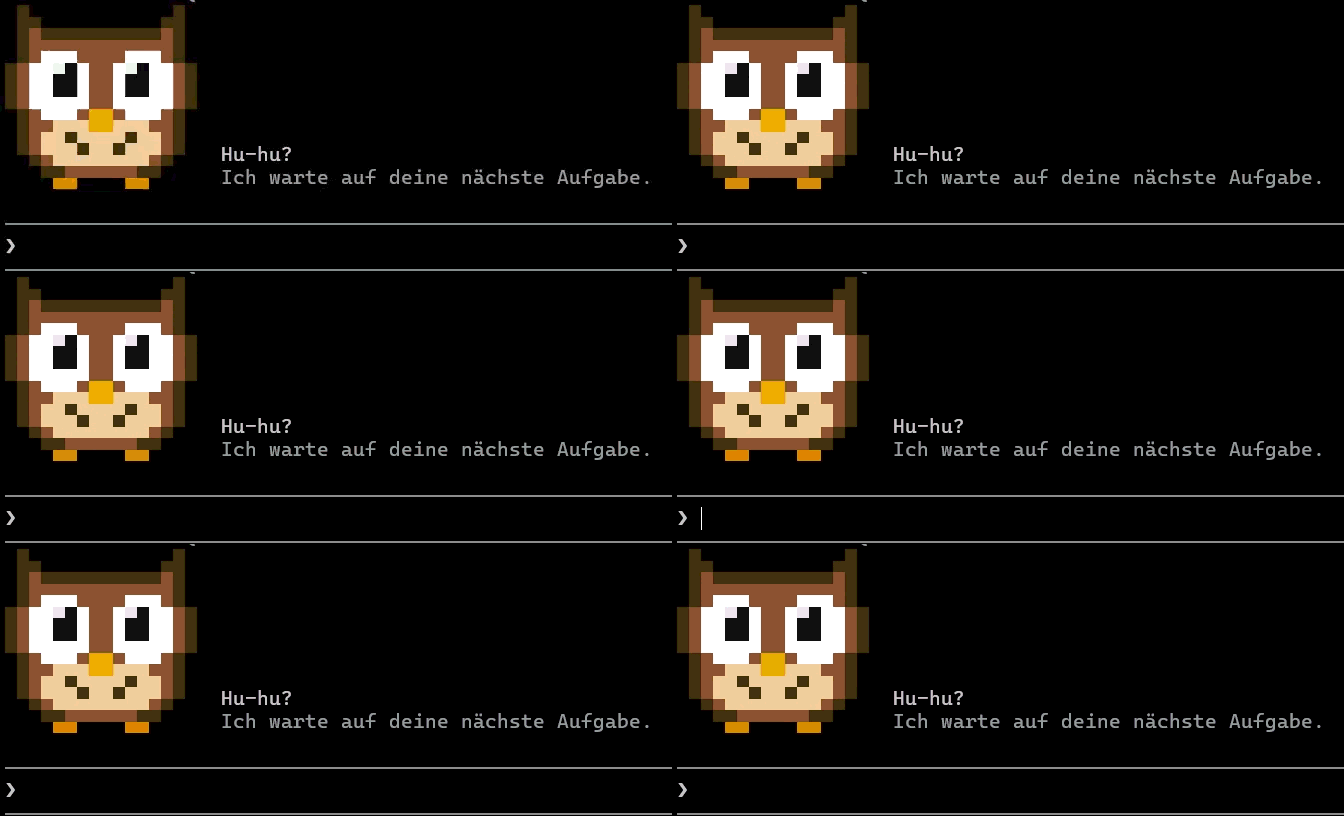
Clowl: eine treudoof schauende Eule über der Eingabe, solange Claude auf die nächste Aufgabe wartet.
newbandtimer

Clowl: eine treudoof schauende Eule über der Eingabe, solange Claude auf die nächste Aufgabe wartet.
A mod for Claude Code: a dopey, devoted-looking owl above the prompt while Claude waits for your next task. It looks at you, blinks about every 5 seconds (sometimes twice), and disappears as soon as Claude gets to work.
[-] on the right of the band.In a Claude Code session in the terminal, type:
/plugin install clowl --marketplace Carismarkus/clowlAnswer y when asked whether to add the marketplace, then choose the scope (user = all projects).
Next to the owl there are two lines: "Hu-hu?" ("Hoo-hoo?") and below it, dimmed, "Ich warte auf deine nächste Aufgabe." ("I'm waiting for your next task."). Both are at the very top of hooks/register.tsx:
const TEXT = 'Hu-hu?'
const SUBTEXT = 'Ich warte auf deine nächste Aufgabe.'', put a backslash in front of it: 'What\'s up?'.'') is left out: with SUBTEXT = '', only one line appears next to the owl./reload-plugins in Claude Code. The owl shows the new text the next time Claude is waiting.The picture and colors are in the same file: OWL (one letter per pixel) and PALETTE (color per letter).
Clone or download the repo, then (adjust the path):
claude plugin marketplace add "C:\path\to\clowl"claude plugin install clowl@clowl --scope user/reload-plugins picks up changes in the folder.
claude plugin validate . and claude plugin test .MIT, see LICENSE.
hooks/register.tsx 131 lines1// Clowl: a dim-witted, loyal owl above the prompt that stares at the user
2// while Claude waits for the next task, and blinks now and then.
3
4import { atom, read, update } from 'claude-code'
5import type { Register } from 'claude-code'
6
7import type { ClowlFrame } from '../types'
8
9// The two lines next to the owl: the first in normal type, the second dimmed.
10const TEXT = 'Hu-hu?'
11const SUBTEXT = 'Ich warte auf deine nächste Aufgabe.'
12
13const frame = atom({ plugin: 'clowl', key: 'frame' } as const, 'open' as ClowlFrame)
14
15// 16 x 16 pixels, two per terminal cell (upper and lower half block).
16const OWL = [
17 '.D............D.',
18 '.DD..........DD.',
19 '.DBDDDDDDDDDDBD.',
20 '.DBBBBBBBBBBBBD.',
21 '.DBWWWBBBBWWWBD.',
22 'DBWWSKWBBWSKWWBD',
23 'DBWWKKWBBWKKWWBD',
24 'DBWWKKWBBWKKWWBD',
25 'DBWWWWWBBWWWWWBD',
26 '.DBWWWBYYBWWWBD.',
27 '.DBBLLLYYLLLBBD.',
28 '.DBLLDLLLLDLLBD.',
29 '.DBLLLDLLDLLLBD.',
30 '..DBLLLLLLLLBD..',
31 '...DDBBBBBBDD...',
32 '....OO....OO....',
33]
34
35const EYE_ROWS = [4, 5, 6, 7, 8, 9]
36const LID_ROW = 7
37
38/** Closed eyes: the eye whites become feathers, with a dark lid line across. */
39const BLINK = OWL.map((row, y) =>
40 EYE_ROWS.includes(y) ? row.replace(/[WKS]/g, y === LID_ROW ? 'D' : 'B') : row,
41)
42
43const DEFAULT = 0x01000000
44
45const PALETTE: Record<string, number> = {
46 '.': DEFAULT,
47 D: 0x4a2c14, // outline
48 B: 0x8b5a2b, // feathers
49 L: 0xe8c99a, // belly
50 W: 0xffffff, // eye white
51 K: 0x111111, // pupil
52 S: 0xf4f4f4, // shine in the pupil
53 Y: 0xf2a900, // beak
54 O: 0xe08a00, // feet
55}
56
57const UPPER = 0x2580
58const LOWER = 0x2584
59const SPACE = 0x20
60
61const B64 = 'ABCDEFGHIJKLMNOPQRSTUVWXYZabcdefghijklmnopqrstuvwxyz0123456789+/'
62
63function toBase64(bytes: Uint8Array): string {
64 let out = ''
65 for (let i = 0; i < bytes.length; i += 3) {
66 const a = bytes[i] ?? 0
67 const b = bytes[i + 1] ?? 0
68 const c = bytes[i + 2] ?? 0
69 const n = (a << 16) | (b << 8) | c
70 out += B64.charAt((n >> 18) & 63) + B64.charAt((n >> 12) & 63)
71 out += i + 1 < bytes.length ? B64.charAt((n >> 6) & 63) : '='
72 out += i + 2 < bytes.length ? B64.charAt(n & 63) : '='
73 }
74 return out
75}
76
77/** Packs pixel rows into Raster cells: each cell shows a pixel above and one below. */
78export function cells(pixels: readonly string[]): string {
79 const width = pixels[0]?.length ?? 0
80 const words: number[] = []
81 for (let y = 0; y < pixels.length; y += 2) {
82 for (let x = 0; x < width; x++) {
83 const top = PALETTE[pixels[y]?.charAt(x) ?? '.'] ?? DEFAULT
84 const bottom = PALETTE[pixels[y + 1]?.charAt(x) ?? '.'] ?? DEFAULT
85 if (top === DEFAULT && bottom === DEFAULT) words.push(SPACE, DEFAULT, DEFAULT)
86 else if (top === DEFAULT) words.push(LOWER, bottom, DEFAULT)
87 else words.push(UPPER, top, bottom)
88 }
89 }
90 return toBase64(new Uint8Array(Uint32Array.from(words).buffer))
91}
92
93const OPEN_CELLS = cells(OWL)
94const BLINK_CELLS = cells(BLINK)
95const COLUMNS = 16
96const ROWS = 8
97
98export const register: Register = on => {
99 on('session.start', async ($, e, next) => {
100 // Blink every few seconds, now and then twice.
101 $.clock.every(5200, () => {
102 const blink = () => {
103 void update($, frame, () => 'blink')
104 $.clock.after(170, () => void update($, frame, () => 'open'))
105 }
106 blink()
107 if (Math.random() < 0.25) $.clock.after(420, blink)
108 })
109 return next(e)
110 })
111
112 on('ui.render', { component: 'AbovePrompt' }, async ($, e, next) => {
113 if (e.surface !== 'terminal') return next(e)
114 const { isWorking, hasSurvey, maxRows, bodyColumns } = e.props
115 if (isWorking || hasSurvey || maxRows < ROWS || bodyColumns < COLUMNS) return next(e)
116
117 const { Box, Raster, Text } = $.ui.resolve(e)
118 const shown = await read($, frame)
119
120 return (
121 <Box flexDirection="row">
122 <Raster key="owl" columns={COLUMNS} rows={ROWS} cells={shown === 'blink' ? BLINK_CELLS : OPEN_CELLS} />
123 <Box flexDirection="column" justifyContent="flex-end" marginLeft={2}>
124 {TEXT ? <Text>{TEXT}</Text> : null}
125 {SUBTEXT ? <Text dimColor>{SUBTEXT}</Text> : null}
126 </Box>
127 </Box>
128 )
129 })
130}
131types/index.d.ts 8 lines1export type ClowlFrame = 'open' | 'blink'
2
3declare module 'claude-code' {
4 interface PluginState {
5 clowl: { frame: ClowlFrame }
6 }
7}
8