k0-links
While k0 is running, the addresses, folders, documents and artifacts the last reply named sit above the prompt, one click away
bandguardtoastpromptprocessnetwork

While k0 is running, the addresses, folders, documents and artifacts the last reply named sit above the prompt, one click away
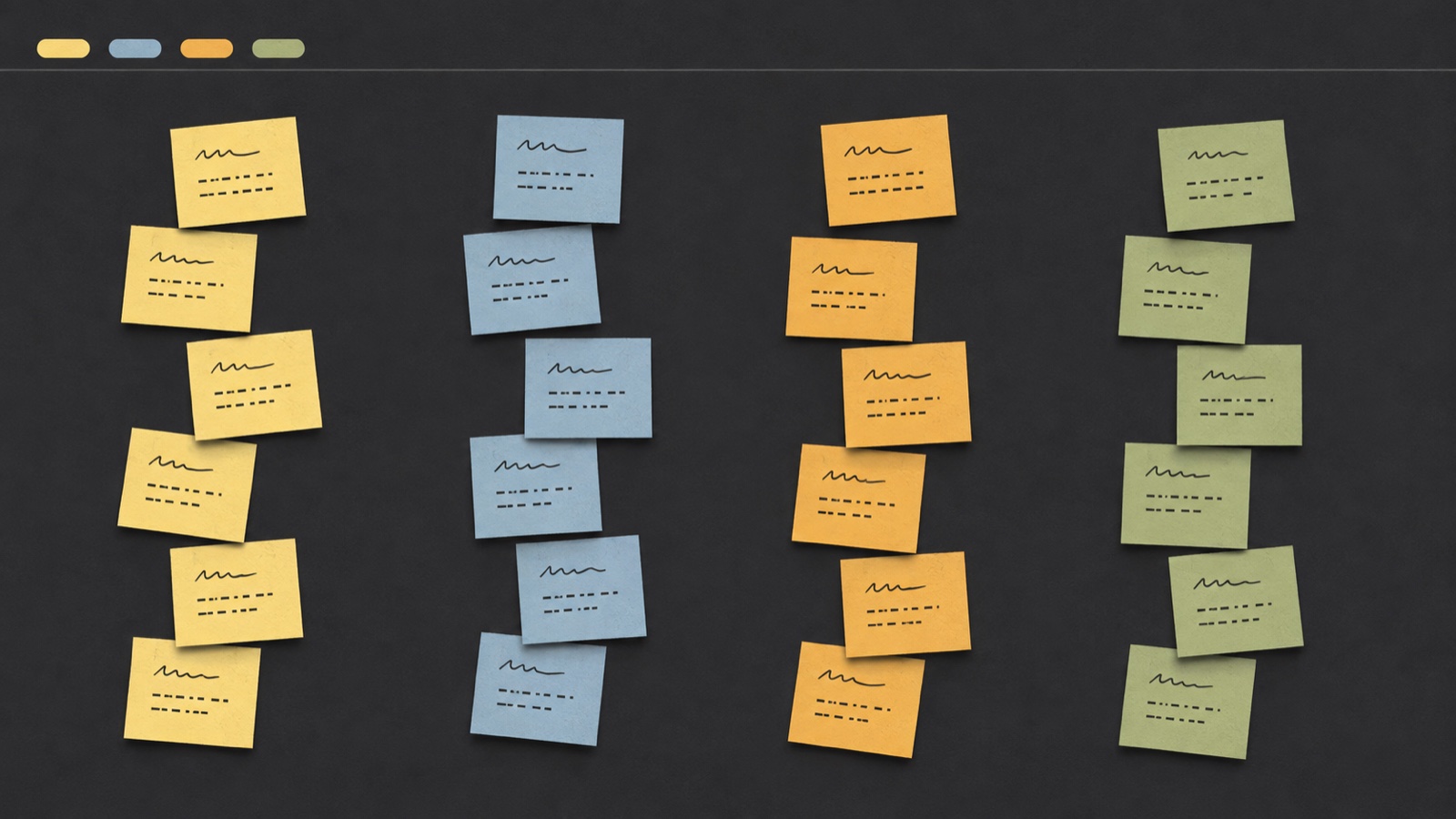
A board of sticky notes that drives your Claude Code sessions. One column per project, one story per piece of work. From a story you open a real terminal, and on the story you see at a glance whether the session is working, has finished, is asking you something, or has a plan waiting for your approval.
It exists because of one specific moment: four terminals open, and no way to tell which one is waiting for you without clicking through all four.
If you have used a kanban board, an infinite canvas like Miro, and a wall of paper sticky notes, you have already seen the three pieces k0 is made of: stories standing in columns, a board that pans and zooms instead of scrolling, and notes that sit at their own slightly crooked angle. What is different is what those things are underneath. A column is a repository, not a stage — the stories reorder themselves by who is waiting for you, rather than being pushed along a pipeline. (One switch in the top bar lays the same stories out as a list instead, for the days you are planning rather than working.) A story drives real Claude Code sessions — it opens a terminal, it knows what that session is doing, and it goes on saying so while you are looking somewhere else. A story may have had several over its life, one at a time, and it keeps all of them.


Contents · Install · k0 Cloud · How it is used · The backlog · The ChangeLog · What's New · The files of a session · What it costs · Filling the board with what you have already done · The statuses · The four modes · Shift+Enter starts a new line · Pasting into the terminal · How it is put together · Security · What is not here yet · Contributing · License
npx k0-boardThat is the whole thing. It tells you everything it is about to change, asks, and only then does it — and when it is finished it opens the board in your browser, so there is no address to write down anywhere. k0-board uninstall undoes all of it.
k0 is published on npm as k0-board: one package, no dependencies, nothing to compile. npx fetches it, runs the installer once and leaves nothing behind — what stays on the machine is the copy the installer puts in ~/.k0/app, not an npx cache that could be swept away under a running service. Installing it globally with npm install -g k0-board works too, if you would rather have the command on your PATH.
To update it, run the installer again with npx k0-board@latest: it replaces the copy and restarts the service. Your board is never in the way — it lives in ~/.k0/k0.db, outside everything the installer touches, and uninstall leaves it there as well.
Every release is published by GitHub Actions with a signed provenance statement: proof, which npm audit signatures will check for you, that the tarball was built from a particular commit of this repository rather than uploaded by somebody who happened to have a password. (0.1.0 predates that and went out from a laptop.)
k0-board install | install and start it — this is what npx k0-board runs |
k0-board uninstall | undo everything install did; your board stays |
k0-board start | run the server in the foreground, installing nothing |
k0-board restart | restart the service |
k0-board status | is it running? exits 0 if it is, 1 if it is not |
k0-board doctor | what this machine can and cannot do, and why — and where k0 Cloud stands |
k0-board login | sign in to k0 Cloud with GitHub or Google: opens the board, where the buttons are |
k0-board logout | sign out; the board stays on this machine and stops syncing |
--yes does not ask. --from-source points the service at the directory you are in instead of copying it, which is what you want while working on k0 itself. --no-open finishes without opening a browser, which is what you want over SSH. --no-<name> skips one optional change — --no-lid-sleep, --no-shift-enter. K0_PORT moves the board off 4319.
From a clone, if you would rather look first:
git clone https://github.com/alessio-ragni/k0-board.git
cd k0-board
node bin/k0-board.js start
That runs the server in the foreground and opens the board. Nothing is installed and nothing outside the directory is touched.
The board lives at <http://k0.localhost:4319>, which is the address both install and start open for you. If that name does not resolve on your machine — which happens on Windows, because only browsers are obliged to know that .localhost means this computer — k0 opens <http://127.0.0.1:4319> instead, and says so.
node:sqlite, which is built into Node — there is nothing to install and there are no npm dependencies at all.xdotool for window placement, and python3 with PyGObject for the tray icon.| macOS | Linux | Windows | |
|---|---|---|---|
| Open a terminal and run Claude Code in it | ✅ | ✅ tmux | ✅ |
| Read the terminal to know when it is ready | ✅ | ✅ | ❌ waits a fixed moment instead |
| Leave your prompt in place, unsent | ✅ needs Accessibility | ✅ | ✅ |
| Rename a running session when its title changes | ✅ needs Accessibility | ❌ when it ends | ❌ when it ends |
| Place, resize and raise windows | ✅ | ✅ X11 only | ✅ |
| Large text in terminals for driving mode | ✅ | ❌ | ❌ |
| Keep the machine awake | ✅ | ✅ | ✅ |
| Keep working with the lid closed | ✅ | ❌ system setting | ❌ system setting |
| Tray icon and notifications | ✅ | ✅ GNOME/KDE | ✅ |
| Clicking a notification takes you to that terminal | ✅ needs the permission | ✅ if the desktop honours actions | ✅ |
macOS is the only platform the author has. Linux and Windows are written from the documentation and reviewed carefully, and the logic they share with macOS is tested on all three in CI — but nobody has yet sat in front of a Linux desktop or a Windows machine and watched k0 open a terminal on it. If you are the first, please say what happened, including the parts that worked.
k0-board doctor prints this same table for your actual machine, with a sentence explaining every ❌.
Nothing on this list happens before you have seen it and said yes. Everything on it is undone by k0-board uninstall, and any single item can be skipped with --no-<name>.
| What | Where | Why |
|---|---|---|
| A copy of k0 | ~/.k0/app | so the service does not point at a temporary npx cache |
| Your board, settings, logs and cache | ~/.k0/ | %LOCALAPPDATA%\k0 on Windows |
| A service that starts at login | LaunchAgents · systemd user unit · Task Scheduler | so k0 is simply there |
| macOS only — one administrator rule | /etc/sudoers.d/k0-pmset | to keep the Mac awake with the lid closed. Asks for your password once, and grants exactly two command lines |
| macOS only — one key binding | your Terminal profile (backed up first) | so Shift+Enter starts a new line |
macOS only — Accessibility for node | you grant it by hand, in System Settings | so k0 can place a prompt without sending it |
The commands, and the k0-links mod, if you want them | ~/.claude/skills/ | Claude Code looks there and in the repository you have open, and nowhere else. Asked once; installing again brings the copies up to date without asking |
That last one deserves a sentence of its own: a process with the Accessibility permission can send keystrokes to any application, and here it is granted to your node, not to a signed k0 app. Skipping it breaks nothing — the prompt gets typed and the session starts by itself.
k0 needs an account, and it talks to exactly two places. You sign in with GitHub or Google, and your board is kept in sync with k0 Cloud — k0's own database, on Supabase, in the EU — so it survives a lost laptop and can be read from a browser. The board you work on is still the copy on this machine: without a connection k0 keeps working, and catches up when the connection is back.
The second place is the public npm registry. Once a day k0 asks it what the newest version of k0-board is, so the board can mention that there is one. The package name is in the address and nothing else is in the request: not the version you are running, not your repositories, not your commits, not your board, not an identifier of any kind. Nothing is downloaded and nothing is run — k0 cannot update itself. Set "updateCheck": false in ~/.k0/config.json and that socket is never opened. Everything else stays as it was: no fonts fetched, no telemetry, no analytics, no git fetch, and the models still run here, through your own Claude Code.
Your board lives on your machine and keeps working with no network at all. k0 Cloud holds a copy of it, so it survives a lost laptop, reaches your other machines, and — coming with the site — can be read from a browser at k0-board.com/app/.
Who owns which piece of it, where the keys live and how somebody is let in: docs/cloud.md.
The first time you open the board it shows Connect your account, with a button for GitHub and one for Google. Those are the only two ways in; there is no password of k0's own. The browser goes to the provider, you say yes there, and it comes back to the board on this machine — http://k0.localhost:4319/auth/callback — which finishes the sign-in by itself. k0 never sees a password, and the one-time code that comes back is worth nothing on its own: it only works together with a secret this machine made before sending the browser off (PKCE).
What keeps you signed in is written to ~/.k0/cloud.json, readable by you and nobody else.
k0-board login from a terminal does the same thing: it opens the board, which is where the buttons are, or says who is already signed in.
The screen only stands in front of the board when there is a way past it. If the cloud has no sign-in switched on yet, the board simply opens: blocking it for something you cannot do anything about would be k0's failure passed off as yours. Offline on the very first start, the screen says the cloud cannot be reached instead of offering buttons that would not work.
Signing in is not the same as being let in. k0 is in early access: an account opens once it has been approved, by hand. Until then the board says You are on the list, nothing is sent anywhere, and the board goes on working exactly as before. It notices the approval by itself — no restart, no second sign-in. Use another account on that screen signs out and starts again.
(Approving accounts is done from an admin page that is coming with the site.)
Every few seconds, while you are signed in and let in, k0 sends what changed and fetches what your other machines changed: epics, stories, tasks, decisions, rounds, checklists, dependencies, the Log, and the sessions a story has had. A repository is named in the cloud by its origin remote, cleaned of any password and of the difference between git@ and https://, so the same repository checked out on two machines is one column; a repository with no remote stays a name known only to this machine.
What never leaves: which terminal window a session is in, the folder it is working in, and the commit it started at. Nothing from your repositories either — not files, not diffs, not commits.
Sessions go up but do not come down. A session is a terminal on the machine that opened it; the other machine has nothing to attach it to, so it would only be a ghost there. The cloud keeps their status so the web board can show it.
When the same thing was changed in two places, a change made here and not yet sent wins over one arriving from the cloud — it is what the person at this machine just did — and in the cloud a later change wins over an older one that arrives late, so a laptop coming back after a day away does not put yesterday's version over this morning's.
~A key is one number for your whole account: K150 is the same story whichever repository it is in and whichever machine is looking at it. So the number comes from the cloud, which is the only place two machines can agree on what comes next. k0 asks for it the moment you create a story or an epic, and waits at most two and a half seconds.
When the cloud does not answer, the story is made anyway, with a provisional key: K~3. It works everywhere a key does. As soon as the cloud is back the sync gives it its real number, oldest first, and renames its file in .k0/. Nothing is reserved in advance, so the numbers still run in the order the stories were made.
A board that existed before you signed in was numbered on this machine — per repository, if it is older than k0 Cloud — and the cloud's counter starts somewhere else. Using the cloud's numbers straight away would give your next story a K1 the board already has. So the first time an account is linked on a machine whose board has stories, nothing is sent and no number is taken from the cloud until the board has been moved.
The board offers it: Move your board to k0 Cloud. Show me the new numbers lists every story and epic, repository by repository, with its old key beside its new one, and says how many pieces of text — a plan, a prompt, a decision — mention a key and will be updated with it. Nothing has changed yet at that point. Move it then:
~/.k0/backups/k0-before-cloud-<time>.db, in one consistent file;K12 ever meant anything;.k0/;~/.k0/backups/k0-before-cloud-<time>.keys.json, every old key beside its new one;When it is done the board says how many it moved, from which number, and where the two files are, and stays on that page until you close it.
Not now means not now: the board keeps its old numbers and keeps working, and the offer comes back the next time the board is opened.
At the end of the top bar, once you are signed in: your picture, and a dot. Green, everything is in the cloud. Amber, changes are waiting to go up — or a story still has a provisional key. Grey, the cloud cannot be reached and the board is carrying on by itself. Click it for who is signed in, Sync now, and Sign out.
Sign out in that menu, or k0-board logout. The board stays on this machine exactly as it is; it stops syncing, keys are counted on this machine again, and nothing is queued for later.
k0-board doctor has a k0 Cloud section: who is signed in, whether they have been let in, whether the board still has to be moved, whether the cloud answers, and how many changes are waiting.
K0_CLOUD=off in the server's environment switches the cloud off entirely: no sign-in screen, no chip, no socket. It is meant for working on k0 itself and for the tests. Without an account, keys are still one counter for the whole board rather than one per repository, kept on this machine.
+ at the left is a menu of two — a story typed here, or an epic told to a terminal — the dialog gains a field for the story's epic, and the two buttons are Discuss and Quick Start. Editing a story that exists adds a list of notes, which sit on the post-it for you to read and are never sent to Claude Code. It is written out below.)The repository has to be picked from the list (searchable, most used at the top; arrow keys to move, Enter takes the highlighted row): a name typed by hand does not count. On leaving the field, if what you typed identifies exactly one repository it takes that one; otherwise the field empties — either you select one or there is nothing.
At the bottom there are Save and Start: Start saves and launches the session immediately. The X at the top closes without saving.
The title normalises as you type: a capital at the start of every word, dashes instead of spaces, and the capitals you typed stay where you put them — fix api becomes Fix-Api, while Fix API stays Fix-API. What you see in the field is exactly the name the session will have.
Changing the title — only the title; the prompt has nothing to do with it — renames the session too, in three places at three moments. The window's title bar, immediately, session running or not. The session itself, if it is still running, the first time you look at it: when that window is the one in front of you and Claude Code is sitting idle with nothing under the cursor, k0 types /rename with the new name into it and presses Enter — you will see the command go by. It never brings the window up to do that: the keyboard is yours, and a terminal jumping up while you type somewhere else would take your next words. And the list of sessions you can resume, when the session ends — while the process is alive the transcript already has an owner, and it would write the old name back over ours. On Linux and Windows the second of the three is missing, and k0-board doctor says so: there the name catches up when the session ends. The same happens when a skill changes the title through the API.
claude in the right repository under the story's name, and puts the prompt in it. You press Enter.The session is born in plan mode, always. On the board the story turns Planning as soon as it gets to work, and amber Needs approval when the plan is ready. If you need something else, shift+tab as usual. Resume forces nothing: that session already had a mode, and it comes back as it was.
In exchange, once the plan is approved it asks for confirmations: starting inside a plan and never asking anything are two things Claude Code does not do together — the why is further down.
Every session, new or resumed, is also born with Claude Code's task list switched on. On a newer model Claude Code leaves it off unless it is told otherwise, and the commands that plan, work and check keep a task per step — so without it they would be asking for a tool that is not there.
The window is born centred on the screen you are using, at 90% of the free space, in every mode: the same margin on all four sides, never under a menu bar or a dock. Open more than one and they stack in the middle — double click brings the one underneath back.
If the screen changes — you plug a monitor in or out, or change resolution — the windows put themselves back: all of them centred on the main screen, at their usual size, without asking and without bringing the terminal to the front.
Done is the only thing in k0 that closes one. With the backlog switched off it is not drawn on those stories at all.The session is stopped first and only then is the window closed. Closing a window with claude still inside it makes macOS put up the "terminate running processes" dialog, and the window does not close at all.
It is not there while the session is working: stopping one mid-thought is not memory saved, it is work lost. Wait for it to come back to you, and then close it.
The only thing that asks for confirmation is throwing a story away.
Stories reorder themselves inside a column: first the ones waiting for you, then the ones grinding away, backlog at the bottom, and among equals the most recent first.
There are no scrollbars. With a dozen repositories open the board is wider than the screen, and to turn it you bring the pointer near an edge: from there it moves that way by itself — right, left, up, down, and diagonally in the corners — faster the closer you are, and it stops where the board ends. The thin shadow along one side says there is still something over there. Holding a mouse button keeps the board still, so a click near the edge lands.
Botto
hooks/register.js 205 lines1// ── k0-links: what the last reply pointed at, one click away ──────────────────
2// A mod: Claude Code runs these hooks inside every session, k0 or not. They do something only
3// while k0 is running on this machine.
4//
5// At the end of each reply it reads what the reply pointed at — addresses, folders, documents,
6// the artifacts this session published — and puts them in a row just above the prompt. One plain
7// click on an entry opens it: an address in the browser, a folder in Finder, a document in k0's
8// viewer, an artifact on its claude.ai page.
9//
10// The reply itself is left exactly as Claude Code draws it. The macOS Terminal cannot open a link
11// drawn inside the text, and redrawing Claude's replies to work around that was the wrong price:
12// the row is the mod's own space, and its entries are buttons, which the terminal does not have
13// to understand — Claude Code receives the click itself (in its fullscreen mode) and the mod opens
14// the target with the system's own `open`.
15
16import {
17 DOC,
18 MAX_REFS,
19 references,
20 webUrl,
21 absolute,
22 inside,
23 extOf,
24 viewerUrl,
25 artifactUrl,
26 titleOf,
27 artifactsIn,
28} from './links.js'
29
30/** A title this short is a word, and would be found in every other reply. */
31const MIN_TITLE = 4
32/** What each kind of entry looks like in the row: the place it opens in, at a glance. */
33const ICON = { web: '🌐', folder: '📁', doc: '📄', artifact: '✦' }
34
35let port = 4319
36let root = null
37let home = null
38let on = false // whether k0 answered the last time it was asked
39const artifacts = new Map() // title → claude.ai address
40let refs = [] // what the last reply pointed at: { icon, label, target }
41
42/** @type {import('claude-code').Register} */
43export const register = (hook) => {
44 hook('session.start', async ($, e, next) => {
45 const set = await $.env.get('K0_PORT')
46 if (set && /^\d+$/.test(set)) port = Number(set)
47 home = (await $.env.get('HOME')) ?? null
48 root = await topLevel($, e.cwd)
49 return next(e)
50 })
51
52 hook('prompt.submit', ($, e, next) => {
53 if (refs.length) {
54 refs = []
55 $.ui.invalidate('ui.render')
56 }
57 return next(e)
58 })
59
60 hook('tool.call', { tool: 'Artifact' }, async ($, e, next) => {
61 const ran = await next(e)
62 try {
63 await remember($, e, ran)
64 } catch {
65 // An artifact that could not be read back is simply not in the row.
66 }
67 return ran
68 })
69
70 hook('turn.complete', ($, e, next) => {
71 if (!e.agentId) void refresh($, e.answer)
72 return next(e)
73 })
74
75 hook('ui.render', { component: 'AbovePrompt' }, ($, e, next) => {
76 if (!on || !refs.length || e.props.hasSurvey) return next(e)
77 const { Box, Button } = $.ui.resolve(e)
78 return h(
79 Box,
80 { flexWrap: 'wrap', columnGap: 3 },
81 ...refs.map((r, i) =>
82 h(Button, {
83 key: `ref-${i}`,
84 label: `${r.icon} ${r.label}`,
85 plain: true,
86 onPress: () => void launch($, r.target),
87 })
88 )
89 )
90 })
91}
92
93/** The repository the session is in, as k0 knows it: git's top level, else the folder itself. */
94async function topLevel($, cwd) {
95 try {
96 const { exitCode, stdout } = await $.process.run(['git', 'rev-parse', '--show-toplevel'], { cwd })
97 if (exitCode === 0 && stdout.trim()) return stdout.trim()
98 } catch {
99 // No git on this machine: the folder is the best guess there is.
100 }
101 return cwd
102}
103
104/**
105 * Asks k0 which of `paths` are documents its viewer has in this repository. Null when k0 is not
106 * answering; `known: false` when it answers but has never seen this folder.
107 */
108async function exist($, paths) {
109 try {
110 const r = await $.http.fetch(`http://localhost:${port}/api/files/exist`, {
111 method: 'POST',
112 headers: { 'content-type': 'application/json' },
113 body: JSON.stringify({ repo: root, paths }),
114 })
115 if (r.ok) return { known: true, paths: new Set(JSON.parse(r.text).paths ?? []) }
116 // k0's own refusal for a folder it has never opened a session in — anything else on this port
117 // is not k0, and is treated as k0 not running.
118 if (r.status === 400 && /repository/i.test(r.text)) return { known: false, paths: new Set() }
119 } catch {
120 // Nobody listening: k0 is off.
121 }
122 return null
123}
124
125/** What a folder or file on disk is, or null when there is nothing there. */
126async function kindOf($, abs) {
127 try {
128 return (await $.fs.stat(abs)).kind
129 } catch {
130 return null
131 }
132}
133
134/** Reads the reply that just ended, and redraws the row once, at the end. */
135async function refresh($, answer) {
136 const found = references(answer)
137 const docs = []
138 const out = []
139 for (const r of found) {
140 if (r.kind === 'web') {
141 out.push({ icon: ICON.web, label: r.written, target: webUrl(r.written) })
142 continue
143 }
144 const abs = absolute(r.written, root, home)
145 if (!abs) continue
146 const kind = await kindOf($, abs)
147 // An address written without its scheme, the domain on disk nowhere: still an address.
148 if (!kind && /^(?:[a-z0-9-]+\.)+[a-z]{2,}\//i.test(r.written)) {
149 out.push({ icon: ICON.web, label: r.written, target: webUrl(r.written) })
150 } else if (kind === 'dir') {
151 out.push({ icon: ICON.folder, label: r.written, target: abs })
152 } else if (kind === 'file' && DOC.has(extOf(abs))) {
153 const rel = inside(abs, root)
154 if (rel) {
155 const entry = { icon: ICON.doc, label: r.written, target: null, rel }
156 docs.push(entry)
157 out.push(entry)
158 }
159 }
160 // Code and every other file: not a place to go, it stays out of the row.
161 }
162
163 const got = await exist($, docs.map((d) => d.rel))
164 on = Boolean(got)
165 for (const d of docs) if (got?.known && got.paths.has(d.rel)) d.target = viewerUrl(port, root, d.rel)
166
167 const mentioned = artifactsIn(answer, artifacts).map((a) => ({ icon: ICON.artifact, label: a.title, target: a.url }))
168 const seen = new Set()
169 refs = [...out.filter((r) => r.target), ...mentioned]
170 .filter((r) => !seen.has(r.target) && seen.add(r.target))
171 .slice(0, MAX_REFS)
172 $.ui.invalidate('ui.render')
173}
174
175/** Opens a target the way the system opens it: a browser tab, a Finder window. */
176async function launch($, target) {
177 for (const argv of [['open', target], ['xdg-open', target]]) {
178 try {
179 const { exitCode } = await $.process.run(argv)
180 if (exitCode === 0) return
181 } catch {
182 // Not this system's opener: try the next one.
183 }
184 }
185 $.ui.toast(`Could not open ${target}`)
186}
187
188/** A published artifact, kept under its title so the reply that mentions it can list it. */
189async function remember($, e, ran) {
190 if (ran.deny !== undefined || ran.isError) return
191 if ((e.action ?? 'publish') !== 'publish' || e.asset) return
192 const url = artifactUrl(ran.text) ?? artifactUrl(e.url)
193 if (!url) return
194 let title = null
195 if (typeof e.file_path === 'string' && /\.html?$/i.test(e.file_path)) {
196 title = titleOf(await $.fs.read(e.file_path))
197 }
198 title ??= e.title ?? null
199 if (!title && typeof e.file_path === 'string') title = e.file_path.split('/').pop().replace(/\.[^.]+$/, '')
200 if (!title || title.length < MIN_TITLE) return
201 // A redeploy can rename the page: the address keeps one title, the newest.
202 for (const [t, u] of artifacts) if (u === url) artifacts.delete(t)
203 artifacts.set(title, url)
204}
205hooks/links.js 129 lines1// ── What a reply points at ────────────────────────────────────────────────────
2// Claude's replies are full of places — "open localhost:4321/projects/furniture/", "the photos are
3// in docs/projects/sideboard-140/", "it goes live on alessioragni.com/projects/furniture/" — and in
4// the terminal all of it is dead text. This finds them in the reply, in the order they were said,
5// so the mod can put them in a row above the prompt where one click opens each.
6//
7// It is pure on purpose: the mod's environment has no Node, the test runner has no Claude Code,
8// and this file has to run in both. Whether a path is a folder, and whether k0 is listening, is
9// for register.js to ask.
10//
11// Not imported from web/refs.js because the mod is copied into ~/.claude/skills/, where nothing
12// of k0 is next to it. The extension list is the server's `DOC_EXT`, kept in step by a test.
13
14/** The extensions the viewer can show. Same list as `DOC_EXT` in server/files.js. */
15export const DOC = new Set([
16 '.md', '.markdown', '.mdx', '.html', '.htm', '.txt', '.rtf',
17 '.pdf', '.docx', '.doc', '.odt', '.pages',
18])
19
20/** A reply naming more than this is a listing, and a row of forty buttons is noise. */
21export const MAX_REFS = 12
22
23export const extOf = (p) => {
24 const n = p.replace(/\/+$/, '').slice(p.replace(/\/+$/, '').lastIndexOf('/') + 1)
25 const i = n.lastIndexOf('.')
26 return i > 0 ? n.slice(i).toLowerCase() : ''
27}
28
29/** Fenced blocks are code being shown, not places being pointed at. */
30const FENCE = /^\s*(```+|~~~+)[\s\S]*?^\s*\1\s*$/gm
31
32const END = `[^\\s)>\\]\`'"<]`
33/** Every way a reply writes an address: with a scheme, a local port, or a domain with a path. */
34const WEB = new RegExp(
35 [
36 `https?:\\/\\/${END}+`,
37 `(?:localhost|127\\.0\\.0\\.1|\\[::1\\]):\\d{2,5}(?:\\/${END}*)?`,
38 `(?<![\\w./-])(?:[a-z0-9-]+\\.)+[a-z]{2,}\\/${END}*`,
39 ].join('|'),
40 'gi'
41)
42/** A path: something with a slash in it, relative, absolute or from home. */
43const PATH = /(?<![\w.:/~-])(?:~\/|\/|\.{1,2}\/)?[A-Za-z0-9_.@-]+(?:\/[A-Za-z0-9_.@-]+)*\/?/g
44
45/** Punctuation stuck on the end is not part of the name: "…it is in docs/plan/." */
46const trim = (t) => t.replace(/[.,;:!?]+$/, '')
47
48/** The address a written one means: a scheme added where the reply left it out. */
49export function webUrl(written) {
50 if (/^https?:\/\//i.test(written)) return written
51 if (/^(?:localhost|127\.0\.0\.1|\[::1\])[:/]/i.test(written)) return `http://${written}`
52 return `https://${written}`
53}
54
55/**
56 * The places a reply points at, in the order it says them, each as `{ kind, written }`:
57 * `web` for an address, `path` for something on disk. Which paths are real, and what they are,
58 * is not known here.
59 */
60export function references(text) {
61 const clean = String(text ?? '').replace(FENCE, '')
62 const found = []
63 const taken = [] // the stretches already claimed by an address, so a path is not found inside one
64 for (const m of clean.matchAll(WEB)) {
65 const written = trim(m[0])
66 found.push({ i: m.index, kind: 'web', written })
67 taken.push([m.index, m.index + m[0].length])
68 }
69 for (const m of clean.matchAll(PATH)) {
70 const written = trim(m[0])
71 // A bare name counts only when it is a document: `README.md` is a place, `index` is a word.
72 if (!written.includes('/') && !DOC.has(extOf(written))) continue
73 if (taken.some(([a, b]) => m.index < b && m.index + m[0].length > a)) continue
74 if (/^\/+$/.test(written)) continue
75 found.push({ i: m.index, kind: 'path', written })
76 }
77 const seen = new Set()
78 return found
79 .sort((a, b) => a.i - b.i)
80 .filter((r) => !seen.has(r.written) && seen.add(r.written))
81 .map(({ kind, written }) => ({ kind, written }))
82}
83
84/** `written` as an absolute path, or null when it cannot be one. */
85export function absolute(written, root, home) {
86 const p = written.replace(/\/+$/, '')
87 if (p.startsWith('~/')) return home ? `${home.replace(/\/+$/, '')}/${p.slice(2)}` : null
88 if (p.startsWith('/')) return p
89 if (!root) return null
90 const parts = `${root.replace(/\/+$/, '')}/${p}`.split('/')
91 const out = []
92 for (const s of parts) {
93 if (s === '..') out.pop()
94 else if (s !== '.' && s !== '') out.push(s)
95 }
96 return '/' + out.join('/')
97}
98
99/** `abs` as a path inside `root`, or null when it is somewhere else. */
100export function inside(abs, root) {
101 const base = String(root || '').replace(/\/+$/, '')
102 return base && abs.startsWith(base + '/') ? abs.slice(base.length + 1) : null
103}
104
105/** The viewer's address for one file, the same shape the board's git mark opens. */
106export const viewerUrl = (port, root, rel) =>
107 `http://localhost:${port}/files.html?${new URLSearchParams({ repo: root, f: rel })}`
108
109/** The address of an artifact, out of whatever the Artifact tool answered. */
110export const artifactUrl = (text) =>
111 String(text ?? '').match(/https:\/\/claude\.ai\/(?:code\/)?artifact\/[A-Za-z0-9_-]+/)?.[0] ?? null
112
113/** An artifact's title, out of its page: the `<title>` the page carries, when it carries one. */
114export const titleOf = (html) => {
115 const t = String(html ?? '').match(/<title[^>]*>([^<]*)<\/title>/i)?.[1]
116 return t ? t.replace(/\s+/g, ' ').trim() || null : null
117}
118
119/** The artifacts a reply mentions, by title or by address, with where it mentions them. */
120export function artifactsIn(text, artifacts) {
121 const src = String(text ?? '')
122 const out = []
123 for (const [title, url] of artifacts) {
124 const at = [src.indexOf(title), src.indexOf(url)].filter((i) => i >= 0)
125 if (at.length) out.push({ i: Math.min(...at), title, url })
126 }
127 return out
128}
129